What Is a Company Brain? (And Why Most of Them Fail)
Quick Answer
A company brain is one place where people and AI tools can ask questions about the whole business and get answers drawn from what the business actually knows. It covers your docs, website, inboxes, project tools and settled decisions, kept current, and returns answers with the sources they came from.
That's the short answer to what is a company brain. The more useful question is why so many attempts at one quietly die, and how to tell a working company brain from a rebranded wiki before you commit to it.
Why the Company Brain Idea Is Back
"Company brain" isn't a new phrase. People used it for intranets, wikis and knowledge management tools for years. What changed is who is asking the questions.
When the only reader was a new hire, a messy wiki was survivable. They could ask a colleague, search Slack, and piece things together. Now ChatGPT, Claude and a growing set of AI agents are being asked to write proposals, answer customers and draft strategy, and they have no colleague to ask.
An AI model starts each conversation knowing nothing about your business. A chat window only holds what you paste into it. So the work shifts back to you: find the pricing doc, copy the positioning page, dig out the email where the client agreed the scope, paste it all in, then ask. Do that ten times a day and you are the company brain, just a slow one.
That's the real reason the term is everywhere again. Teams want one place every AI tool can read the business from, so nobody has to rebuild context by hand in every chat. Slite, which sells a company brain tool, reports from its own survey that 70% of teams know the term but only 20% have one, which says the demand is real and the delivery mostly isn't.
The "Company Brain Is a Myth" Argument, and What It Gets Right
A widely shared Medium post puts it bluntly: The Company Brain Is a Myth. Here Is What Actually Works.
It's half right. Most company brains do fail. But they fail for a specific, predictable reason, not because the idea is impossible.
A company brain fails when it is a new place someone has to fill in and keep current. Somebody writes the first fifty pages in a burst of enthusiasm. Then the business moves on. Pricing changes in an email thread. A process changes in a Notion comment. A client decision lives in a call transcript. Nobody goes back to update the wiki, because the wiki was never where the work happened.
Six months later the "brain" is a museum. People stop trusting it, then stop opening it, and the AI tools pointed at it confidently repeat things that stopped being true in spring.
A company brain works when it reads the places knowledge already gets written. Your business is already written down. It's scattered across a variety of places, but it exists. The job isn't to write it all again somewhere new. It's to connect what's there and keep it readable.
Three Ways to Build a Company Brain
If you search for how to build a company brain, you'll find three broad approaches. Each has a place. Here's where each one holds up and where it breaks.

Photo by Andreea Avramescu on Unsplash
1. A Wiki or Knowledge Base You Write By Hand
This is the classic route: Confluence, Notion, a Google Sites intranet, a help-centre tool. You create a structure, assign owners, and write the canonical pages.
Good for: policies, onboarding guides and anything that genuinely should have one official page.
The catch: it only contains what someone remembered to write down, and it's only current if someone keeps it current. Most of what a business knows never makes it in. The proposal you sent last week, the support thread that explains a bug, the website copy you rewrote, none of it lands in the wiki unless someone copies it there.
A wiki is a fine source for a company brain. It's a poor company brain on its own.
2. Migrating Everything Into a New Tool
The second route is an all-in-one platform that promises to be the company brain, as long as you move your work into it. New docs live there, files get uploaded, and the AI on top answers questions about whatever is inside.
Good for: teams starting fresh, or teams already planning to consolidate tools.
The catch: migration is a project, and it's never finished. Your inbox, your website and your project tools keep producing knowledge outside the new tool every day. You also tie your company brain to one vendor's chat interface, while your team keeps using ChatGPT or Claude anyway.
3. Connecting What You Already Use
The third route leaves your work where it is. You connect the places the business already lives: Google Drive, Notion, your website, email inboxes, project tools and files. A retrieval layer indexes them, keeps them in sync, and lets any AI tool ask across all of them at once.
Good for: most small and mid-sized businesses, where knowledge is spread across a handful of tools and nobody has time to curate a wiki.
The catch: you get out what your sources contain. If a decision was never written anywhere, connecting tools won't surface it. That's what the fourth test below is for. You also need to scope what's connected, because "everything" includes things nobody wants an AI to read.
For a deeper comparison of the knowledge-base side of this, see our guide to AI knowledge bases and what to look for in internal knowledge base software.
How a Connected Company Brain Finds the Answer
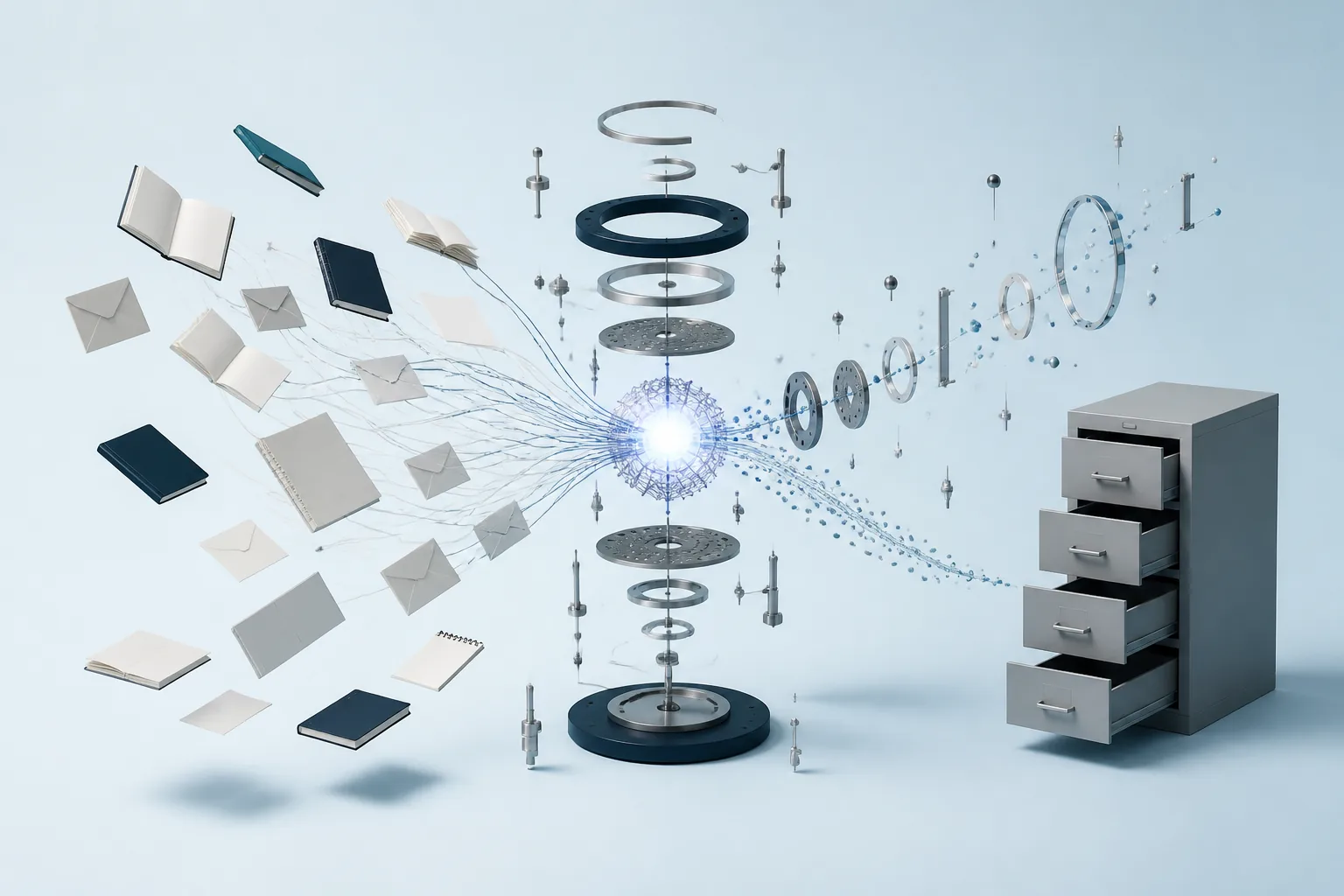
The third approach only works if the search is good. A pile of connected sources with keyword search on top is just a bigger haystack. Here's what has to happen under the hood (the technique is called retrieval-augmented generation) for it to feel like asking a colleague who has read everything.

Photo by Conny Schneider on Unsplash
Every source is chunked and embedded. Each document, page, email and file is split into passages, and each passage is turned into an embedding: a numerical representation of what it means. Those embeddings go into a vector index.
Questions match on meaning, not memorised keywords. When you ask "what did we agree with Acme about the renewal?", the question is embedded the same way and compared against every passage. A passage that says "they're happy to roll over at last year's rate if we lock in by March" can match, even though it never uses the word "renewal".
Results are ranked, not just retrieved. Raw similarity isn't enough. A good company brain blends similarity with other signals: how much weight you've given each source, whether the passage's tags match the question, and whether a document's title matches what you asked about. That scoring step is what lets a source you've weighted highly, like a contracts folder, outrank a passing mention in a newsletter.
Answers cite their sources. Every answer points back to the passages it came from, so you can click through and check.
The practical result is the most important property of a company brain: you shouldn't have to know where the answer lives, or the exact words it uses, before you ask. If you have to remember that the pricing change was in an email from Sam, not the pricing doc, you're still doing the brain's job yourself.
Four Tests for a Real Company Brain
Here's the checklist. Run it against any tool calling itself a company brain, including ours. Each test comes with a way to try it in an afternoon, not just a box to tick on a features page.
- It sees everywhere: one question searches every place the business lives.
- It stays in sync: changes at the source show up without anyone re-uploading.
- It cites its sources: every answer links back to the passage it came from.
- It accepts new knowledge: decisions made in a chat can be saved for every AI tool to read.
Test 1: It Sees Everywhere
The question: can it read all the places your business actually lives, or only the ones that fit its model?
Most AI tools see one connector at a time (we compare them in our guide to ChatGPT connectors). A Drive integration searches Drive. A Gmail integration searches Gmail. If the answer is split across both (the price was discussed in email, written into a proposal doc, then summarised on the website), you have to know that in advance and run three searches.
How to run it: pick a real question whose answer you know is spread across at least two tools. Ask it once, without naming a source. Did the answer pull from both?
Also check what happens when your tool isn't on the integration list. If the answer is "wait for us to build it", the brain has a blind spot from day one.
Test 2: It Stays in Sync
The question: when something changes at the source, does the company brain notice without anyone telling it?
This is the test wikis fail. A one-off file upload fails it too: the file you uploaded in January is still the version the AI reads in June.
How to run it: change a fact in one of your connected sources, such as a price on a website page or a line in a doc. Wait for the tool's stated sync window, then ask about it. Does the answer reflect the new version? Ask the vendor how often each source re-syncs, and be wary of anyone who promises "real time" for everything.
Test 3: It Cites Its Sources
The question: can you see where every answer came from?
An answer without a source is a guess you can't check. That matters more for a company brain than for a general chatbot, because the whole point is that the answer reflects your business, not the model's best impression of businesses like yours.
How to run it: ask three questions and click through every citation. Do they go to the actual passage, in the actual source, that supports the claim? Then ask something you know isn't written down anywhere. A good company brain says it can't find it. A bad one fills the gap with something plausible.
Test 4: It Accepts New Knowledge
The question: when a decision gets made in a chat, can it be written back so every AI tool reads it next time?
Many tools skip this test, and it closes the gap in approach three. Some of the most important knowledge in a business is never in a document: the positioning you finally settled after an hour with Claude, the reason you dropped a pricing tier, the agreed tone for customer replies.
A company brain that can only read is a library. One that can be written to is closer to an actual memory. The write-back should be named and overwritable, so there's one current version of each fact instead of a growing pile of notes, with history kept so a bad update can be rolled back. (We go deeper on this in what an AI memory layer is and how to design agent memory.)
How to run it: in one AI tool, save a decision. Open a different AI tool and ask about it. If the second tool can't see it, the memory belongs to the first tool, not to your company.
Company Brain vs Knowledge Base vs Second Brain
These terms overlap, so it's worth drawing the lines.
- Knowledge base: a collection of documents. It can be a source for a company brain, but on its own it's static and only as complete as the people writing it. An AI-powered knowledge base adds search by meaning on top.
- Second brain: usually a personal system, one person's notes and highlights, often in Obsidian or Notion. The business version is a different problem: shared, multi-source, and read by AI tools as well as people. We cover that in an AI second brain for teams and, for Claude users, a Claude second brain without the DIY vault.
- Company brain: the layer that sits across all of it, connecting every source, kept in sync, answering with citations, and accepting new knowledge back.
Where Context Link Fits
Context Link is a company brain that takes the third approach. Here's how it maps to the four tests.
- Sees everywhere: connect Google Drive, Notion, OneDrive, Basecamp, Monday.com, any website, email inboxes and folders, and uploaded files. If a tool has no pre-built connection, the custom-connections skill lets your AI build one: it fetches the content and pushes it in as markdown. If Claude can read it, you can push it to Context Link.
- Stays in sync: connections re-sync on a schedule (every 24 hours by default), so the index follows your sources rather than a snapshot of them.
- Cites its sources: every answer points back to the passages it came from. Search runs on meaning, then ranks by similarity, source weighting, tag matches and title matches.
- Accepts new knowledge: Memories let any connected AI save the latest version of a decision under a name, with history kept, so every other AI tool reads it next time.
It works from the AI tools you already use (ChatGPT, Claude, any MCP-aware agent) rather than asking your team to adopt a new chat app. For the full picture, see Context Link as a company brain.
Frequently Asked Questions
What is a company brain in simple terms?
A company brain is a single place where people and AI tools can ask about the business and get answers based on what the business actually knows, drawn from its docs, website, inboxes and tools, with sources attached.
How do you build a company brain?
There are three main routes: write a wiki or knowledge base by hand, migrate your work into a new all-in-one tool, or connect the tools you already use to a retrieval layer that keeps them in sync. For most small teams, connecting existing sources is the route that survives, because it doesn't depend on anyone remembering to update a separate system.
Is a company brain the same as training an AI on your company data?
No. A company brain doesn't retrain the model. It finds the relevant passages from your sources at the moment you ask and hands them to the AI as context. That's why it can stay current: change the source and the next answer changes too.
Why do company brains fail?
Usually because they're a new place that someone has to fill in and maintain. The business keeps producing knowledge in email, docs and project tools, the separate system falls behind, and people stop trusting it.
Do AI agents need a company brain?
Agents need context to do useful work, and they can only act on what they can read. A company brain for AI agents gives every agent the same, current view of the business, instead of each one relying on whatever a person pasted in.
So, What Is a Company Brain?
A company brain is one place people and AI can ask about the whole business. Most fail because they're a new wiki someone has to keep current. The ones that work connect the places knowledge already lives, and pass four tests: they see everywhere, stay in sync, cite their sources, and accept new knowledge back.
Run those four tests on whatever you're considering. If you'd like to try them on Context Link, connect your first source and ask it something you'd normally have to dig for.
One search across everything
Connect it once. Every AI can read it.
Context Link indexes your files, drive, email, sites and notes in one place, then hands ChatGPT, Claude and Gemini the same source-backed answers with citations.
7-day free trial · No card to start · Cancel any time