A Claude Second Brain for Your Business, Without the Vault Build
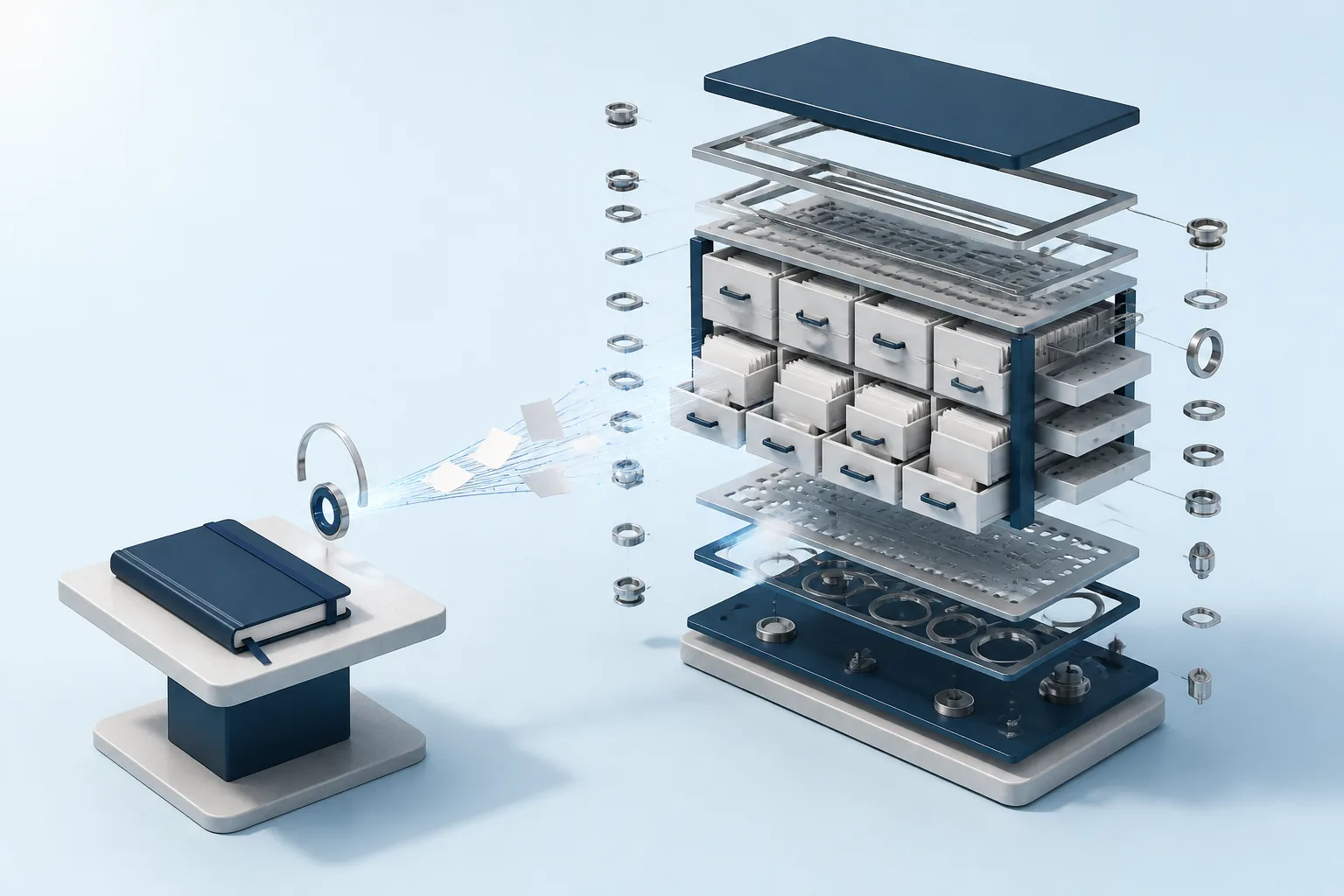
Every few weeks someone posts their Claude second brain: an Obsidian vault, a CLAUDE.md file of rules, a MEMORY.md of decisions, and a handful of slash commands that file notes into the right folder. Claude reads the vault at the start of each session, so you stop re-explaining yourself.
It's a good idea, and for one person on one laptop it works well.
The trouble starts when the brain needs to serve a business. Your colleague's Claude can't read your laptop. Half of what the business knows lives in Google Drive, Notion and the shared inbox, not in your vault. And the vault only knows what someone remembered to write down.
Below: how people build a Claude second brain today, where it breaks for a team, and a version with no build at all. You connect the places your business already lives, add them to Claude as one connector, and keep the vault-style notes as Memories every AI tool reads. Near the end, the same question goes to both brains so you can see the difference.
Quick Answer: What Is a Claude Second Brain?
A Claude second brain is a store of your notes, decisions and context that Claude reads before it answers, so it works from what you know rather than starting cold. The DIY version is a folder of markdown files Claude Code or Cowork reads from your machine. The business version connects your real sources (docs, Notion, inboxes, website) to Claude over MCP, so the whole team asks the same brain and gets answers with citations.
How People Build a Claude Second Brain in Claude Code and Obsidian
The popular tutorials all share one shape, and credit where it's due: it's clever.
You make a folder (usually an Obsidian vault) and give Claude a rules file. That's the classic Claude Obsidian second brain. The AI Maker walkthrough layers it as sources, then wiki pages, then a CLAUDE.md that tells Claude Code how to file things, with commands like /ingest-url, /process-inbox and a weekly /lintwiki to clean up broken links. The nCino Stack's Claude Cowork build mounts a ~/Brain folder with MEMORY.md, BOOT.md, and folders for daily logs, projects, people and meetings, with connectors for Slack, Outlook, Jira and Confluence feeding the daily logs and a weekly review promoting what matters into long-term memory.
Further along the spectrum, the second-brain-starter repo on GitHub is a Claude Code skill that writes you a build plan for a full assistant: markdown memory files, hybrid vector and keyword search on a local database, a heartbeat that runs every 30 minutes, and integrations for Gmail, Slack, Calendar and others that you build yourself.
The common thread:
- Storage: markdown files on your machine or a server you run.
- Memory: a
MEMORY.mdor similar that Claude reads every session. - Upkeep: a capture, curate, promote loop, partly automated, partly you.
- Reader: Claude Code or Cowork, with access to that folder.
If you want the DIY version, the minimum build is:
- Create a folder or Obsidian vault for your notes.
- Add a
CLAUDE.mdwith filing rules and aMEMORY.mdfor decisions. - Open the folder in Claude Code, or mount it in Cowork.
- Add capture commands (
/ingest-url,/process-inbox) and a weekly cleanup. - Review and promote what matters into
MEMORY.mdeach week.
For personal knowledge work, that's a good setup. You own the files, they're plain text, and Claude gets better context every week you feed it.
Where the DIY Version Stops Working for a Business
None of these builds are wrong. They're designed for one person, and the tutorials say so. The gaps show up when you try to stretch one across a team.
It lives on one machine
The vault is a folder. Claude reads it because Claude is running on the same laptop, or because the folder is mounted into your Cowork session. Your co-founder's Claude doesn't see it. Neither does the contractor helping with support. You can share the folder through git or Dropbox, but then every teammate runs their own copy, and every copy needs someone filing updates into it.
That author says as much: whether a shared Brain folder could work for a team is an open question at the end of their post, not something the build does.
Somebody has to keep it current
Every vault runs on a curation loop. The AI Maker piece puts it well: "The LLM can handle the maintenance. You still have to bring the judgment."
That's fine for your own notes. For a business it means the brain is only as current as the last time someone filed the update. The pricing change agreed in an email thread on Tuesday isn't in MEMORY.md until someone copies it there. Until then, Claude answers from last month's version with full confidence.
It's built for one AI tool
The vault is shaped for Claude Code or Cowork. If someone on the team prefers ChatGPT, that brain isn't available to them at all, and a coding agent in Cursor can only read it if the folder happens to sit on the same machine. A business usually ends up with several AI tools, and rebuilding context in each one is the problem a second brain was meant to fix.
The business doesn't live in the vault
This is the gap that matters most. A personal second brain holds what you chose to capture. A business's knowledge lives across a variety of places: proposals in Google Drive, process docs in Notion, customer commitments in an inbox, product facts on the website, files nobody has opened in a year.
You can pull some of it in with connectors and scheduled tasks. But each one is another piece of the build to maintain, and most of the time you still need to know which folder or which connector holds the answer before you ask.
How a Connected Second Brain Finds Things
One thing to understand before the setup, because it changes how you ask: a connected brain doesn't find things the way a vault does.
In a typical vault, Claude finds things by reading files. It opens the index, follows links, searches for words that appear in the notes. That works when you remember roughly which note holds the answer, or when the note uses the same words as your question.
A connected brain works on meaning instead. Every source you connect, whether a Google Doc, a Notion page, an email or a web page, is split into passages and each passage is turned into an embedding, a numeric representation of what it means. Those sit in one vector index. When you ask a question, the question is embedded the same way and matched against every passage by meaning.
So "what did we promise Acme about go-live?" can match an email that says "we'll have you running by the 14th", even though neither "promise" nor "go-live" appears in it. You don't have to remember the words the note used, or which note it was.
Similarity alone isn't the whole ranking. Context Link reranks results, blending similarity with three other signals:
- Source weighting: you can weight a connection higher or lower, and set different weightings per use case (Modes), so a "customer-support" question leans on help docs over marketing pages.
- Tag matches: documents tagged with terms close to your question get a lift.
- Title matches: a document whose title matches the question is pulled forward.
Every passage that comes back carries its source, so the answer Claude gives you can cite exactly which document, email or page it came from.
Build a Claude Second Brain Without Building One
Here's the no-build Claude second brain in three steps, none of which involve a folder structure:
- Connect the places your business already lives.
- Add Context Link to Claude as one connector.
- Keep the vault-style notes as Memories.
Step 1: Connect the places your business already lives
Sign up for Context Link and add your sources. The pre-built connections cover Google Docs and Google Drive, Notion, OneDrive, Basecamp, Monday.com, any website (crawled by sitemap or URL list), named stacks of uploaded files (PDF, Word, Markdown and more), and email inboxes or specific folders over IMAP, including Gmail, Outlook, Zoho and Fastmail.
Connections re-sync daily by default, so the brain doesn't wait for anyone to file an update. If you want the source-by-source detail, there are walkthroughs for connecting Google Drive to Claude, connecting Notion to Claude and connecting email to Claude.
Connections can be org-level, so everyone on the team asks across them, or personal, so your private inbox stays visible only to you.
Step 2: Add Context Link to Claude
You add the whole brain to Claude as a single connector, not one connector per tool.
- Claude on the web, desktop, Cowork or mobile: Settings, Connectors, Add custom connector. Paste
https://www.context-link.ai/mcpand approve the sign-in. The step-by-step setup guide has screenshots. - Claude Code: one command.
claude mcp add --transport http --scope user context-link https://www.context-link.ai/mcp
Then run /mcp inside Claude Code to authenticate.
- Claude Skill or plugin: if you'd rather install skills, the Context Link plugin bundles get context, save memory and update memory for Cowork and Claude Code.
Note the www in the MCP URL. If you want the background on what a connector is and how the directory, custom connectors and MCP relate, our guide to Claude connectors covers it, and the Claude MCP guide explains what happens during that sign-in.
Once it's added, Claude gets four tools:
| Tool | What it does |
|---|---|
get_context |
Searches everything you connected by meaning and returns the matching passages with their sources |
ask_question |
Same search, then one grounded paragraph with numbered citations (Pro plan) |
save_memory |
Saves a named document back to Context Link |
get_memory |
Fetches a saved document by name |
Step 3: Keep the vault-style notes as Memories
A second brain isn't only retrieval. Some things you want written down on purpose: the positioning you've settled on, how you price, the decision you keep re-explaining.
That's what Memories are for. Tell Claude "save this to /pricing-decisions" and it becomes a named document in Context Link. Save to the same name again and the new version replaces the old one for retrieval, with history kept. Memories are searched alongside your synced sources, so a question about pricing can pull the Memory and the email thread together.
It's the MEMORY.md idea, with two differences. Teammates' Claude sessions read it too, and so does ChatGPT or any MCP-aware agent connected to the same account. Write it down once, every AI reuses it. Our piece on agent memory goes deeper on what's worth saving and how to name it.
Already have a vault? Bring it with you
You don't have to throw the vault away. Two routes:
- Upload it as a named file stack. Markdown is supported, so the notes become searchable alongside everything else.
- Push it with the custom-connections skill. Claude Code reads your vault, converts each note to markdown and pushes it into Context Link. Rerun it when the vault changes. If Claude can read it, you can push it to Context Link.
Worked Example: The Same Question, Two Brains
Take a small agency with a client called Acme. A few weeks ago the team agreed a six-week onboarding plan, and someone filed it in the vault. Last Tuesday the client asked for an extra integration and the account lead agreed, over email, to move go-live by two weeks. Nobody updated the vault.
A teammate asks Claude: "What's the current go-live date for Acme, and what changed?"
The vault answers
Claude Code reads MEMORY.md, follows the link to projects/acme.md, and finds the onboarding note.
Acme's onboarding is planned over six weeks, with go-live on 3 December. The plan covers data import, two training sessions and a review call.
That's a clean, confident answer, and it's out of date. The change lives in an inbox the vault never saw. Worse, the teammate asking may not have the vault at all, in which case the question doesn't get this far.
The connected brain answers
Claude calls ask_question. The search matches the Tuesday email on meaning (it says "push launch back two weeks", not "go-live"), plus the original proposal in Google Drive and the project page in Notion.
Acme's go-live has moved to 17 December. The original plan set it for 3 December over a six-week onboarding [2]. On Tuesday the client asked to add their CRM integration, and the account lead agreed to push launch back two weeks to fit it in [1]. The Notion project page still shows the old date and needs updating [3].
[1] Email: "Re: Acme onboarding, CRM integration" (accounts inbox)
[2] Google Doc: "Acme proposal and onboarding plan"
[3] Notion: "Acme project tracker"
The difference isn't that the second Claude is smarter. It's that it was asked against the business, not against what someone remembered to file. And every claim points back at a source you can open and check, including the stale Notion page, which you'd now go and fix.
(This is an illustrative example, not a real client. The shape of the answer, a paragraph with numbered citations, is what ask_question returns.)
When the DIY Vault Is Still the Right Call
The connected version isn't better for everyone. Build the vault if:
- It's genuinely personal. Reading notes, half-formed ideas, journal entries. A Claude Code second brain on your own machine is the right home for those.
- You want everything local. If the files must never leave your machine, a local vault does that and a hosted service doesn't.
- The build is the point. Plenty of people enjoy tuning their system. The second-brain-starter repo is a good place to start if you want proactive features and full control.
- You want Claude to act, not just know. A heartbeat that drafts replies or reorganises your inbox is outside what a retrieval layer does. Context Link answers and remembers; it doesn't send your email.
Plenty of people will end up with both: a personal vault for their own thinking, and a connected brain for what the business knows. They don't compete. If your vault notes are useful to the team, push them in.
Frequently Asked Questions
Can Claude Code be a second brain for a whole team?
Not on its own. Claude Code reads files on the machine it runs on, so a vault serves whoever has the vault. For a team, the brain needs to sit somewhere every teammate's Claude can reach, which is what an MCP connector to a shared index gives you.
Does Claude have built-in memory?
Claude has its own memory and Projects features, and they're useful for your own chats. They're tied to Claude, though. A connected brain works across Claude, ChatGPT and any MCP-aware agent, and it searches your synced sources rather than only what was said in conversation.
How do I set up a Claude Code second brain in Obsidian?
Create an Obsidian vault, add a CLAUDE.md that tells Claude how to file notes and a MEMORY.md for decisions, then open the vault folder with Claude Code (or mount it in Cowork). Add slash commands like /ingest-url and /process-inbox for capture, and a weekly review to promote what matters. The AI Maker walkthrough is a good full guide.
Do I still need Obsidian?
Only if you like writing in it. For a business second brain, the sources are the documents you already keep in Drive, Notion and your inbox. If you do keep an Obsidian vault, you can upload or push it in as one more source.
Is my data used to train models?
Context Link doesn't train models on your content. It uses it to run search and to brief Claude at the moment you ask.
The Short Version
- The DIY Claude second brain, a markdown vault plus rules files, is a smart build for one person on one laptop.
- It stops scaling when a team, another AI tool, or sources outside the vault need the same brain.
- The no-build version connects your real sources, keeps them in sync, and adds them to Claude over MCP as one connector.
- Search works on meaning, ranks with source weighting, tags and titles, and every answer cites its sources.
- Memories cover the part you'd otherwise keep in
MEMORY.md, readable by every AI tool you connect.
If you want the bigger picture of the idea, read what a company brain is, or our take on an AI second brain for teams beyond Claude. When you're ready to set it up, start with Context Link as your company brain: connect a couple of sources, add the connector to Claude, and ask it something you'd normally have to dig for.
One search across everything
Connect it once. Every AI can read it.
Context Link indexes your files, drive, email, sites and notes in one place, then hands ChatGPT, Claude and Gemini the same source-backed answers with citations.
7-day free trial · No card to start · Cancel any time