Works with ChatGPT, Claude, Gemini, and any MCP-aware agent
Internal knowledge base software AI can read
See what to look for in internal knowledge base software, then compare traditional wiki tools with a connected, AI-native approach.
7-day free trial · start for free · cancel any time
01 / Why Context Link

Evaluate on the
criteria that matter
Search quality, AI access, maintenance burden, and setup cost. Most vendor comparisons skip straight to feature lists, we start with what actually decides the outcome.

No migration,
no maintenance tax
Traditional knowledge base software asks you to write and maintain a new wiki. Context Link connects to the Notion pages, Google Docs, and sites you already keep current.

AI can already
read it
A wiki that only humans can browse misses half the point in 2026. Context Link answers from inside ChatGPT, Claude, and any MCP-aware agent, not a separate login.
02 / Works with







 Basecamp


 Custom
 Websites
 Files
Files
 Email
Email
 Memory
*Don't see a pre-built connection? Download the custom-connections skill and Claude builds it for you. If Claude can read it, you can push it to Context Link.
03 / What it does
Search quality semantic, not keyword match
Check whether search understands meaning or only matches exact words. Context Link uses semantic search, so a query for 'refund process' finds a doc titled 'Returns Policy' even without the exact phrase, the most common complaint about traditional knowledge base search.
AI and LLM access not just a portal for people
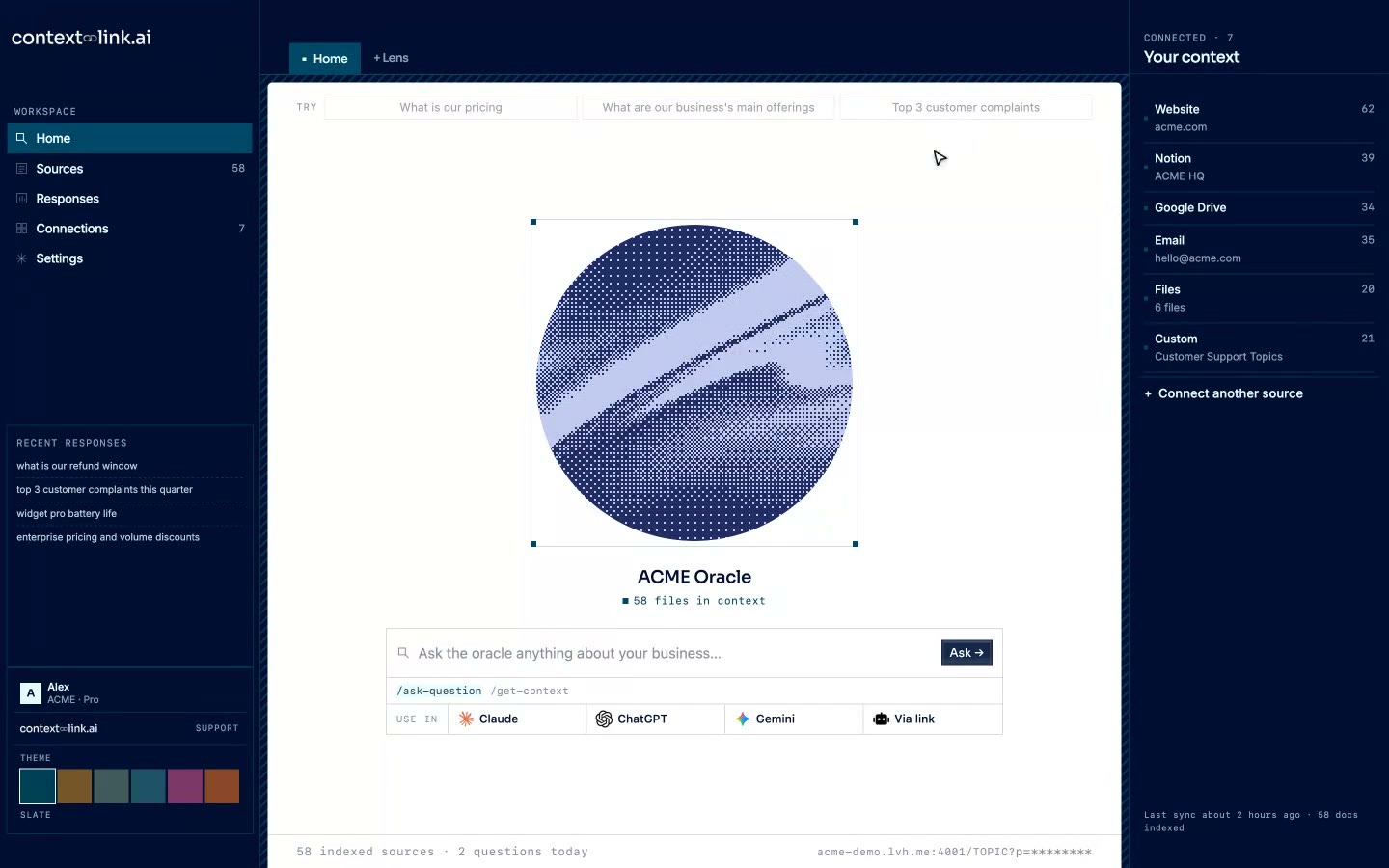
Most internal knowledge base software builds a browsable portal and stops there. Ask whether ChatGPT, Claude, or your team's AI tools can actually query it. Context Link answers from inside the AI you already use, with source-backed citations on every response.
Maintenance burden who keeps it current
Every vendor promises searchable knowledge, few explain who has to update it. Ask whether content lives inside the tool or connects to sources your team already maintains. Context Link connects to Notion, Google Docs, email, and more, and re-syncs every 24 hours, no separate wiki to babysit.
Setup and migration cost what it takes to go live
Traditional knowledge base software often means weeks of writing or migrating content before it's useful. Context Link connects your existing sources in minutes, no content to rewrite, no wiki to build from a blank page, no pre-built connector for a tool means the custom-connections skill can push it in instead.
04 / In action
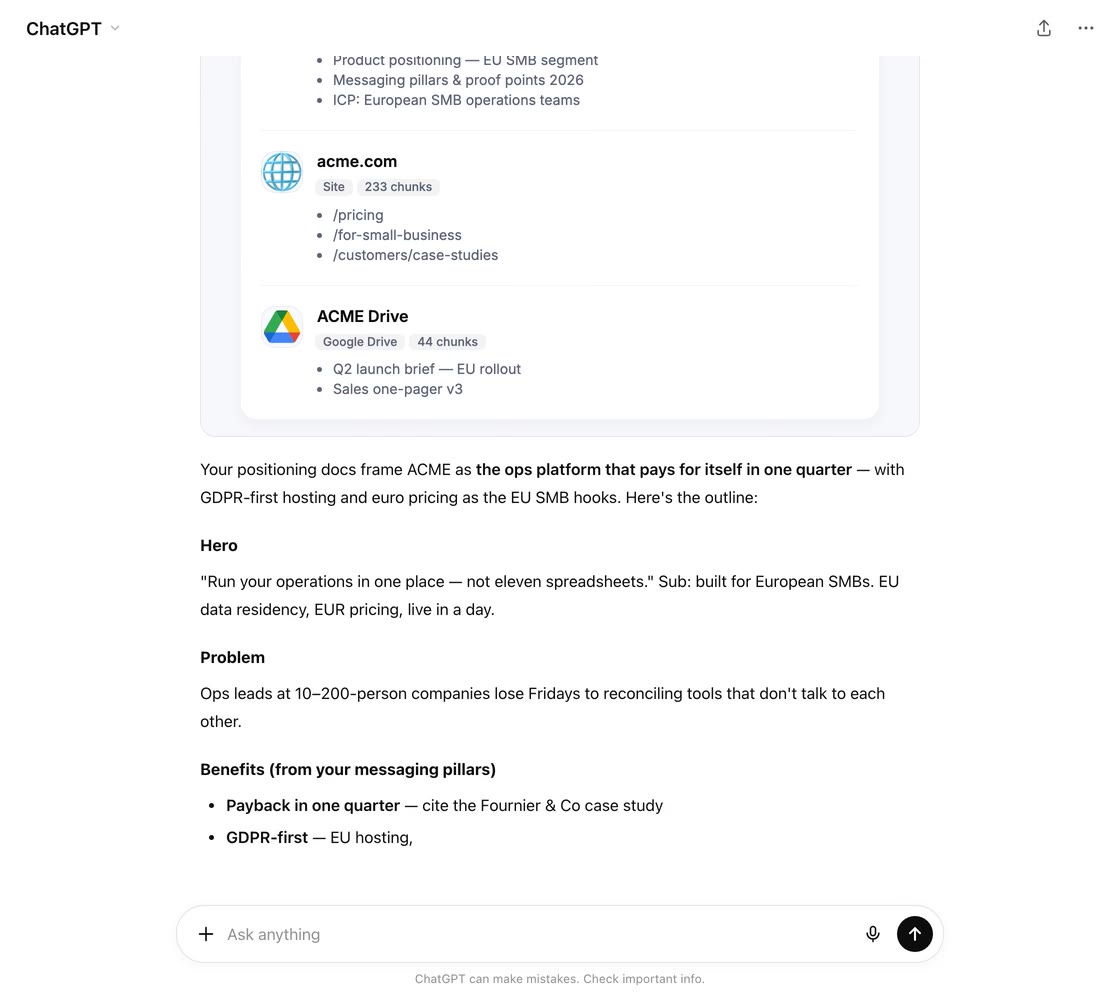
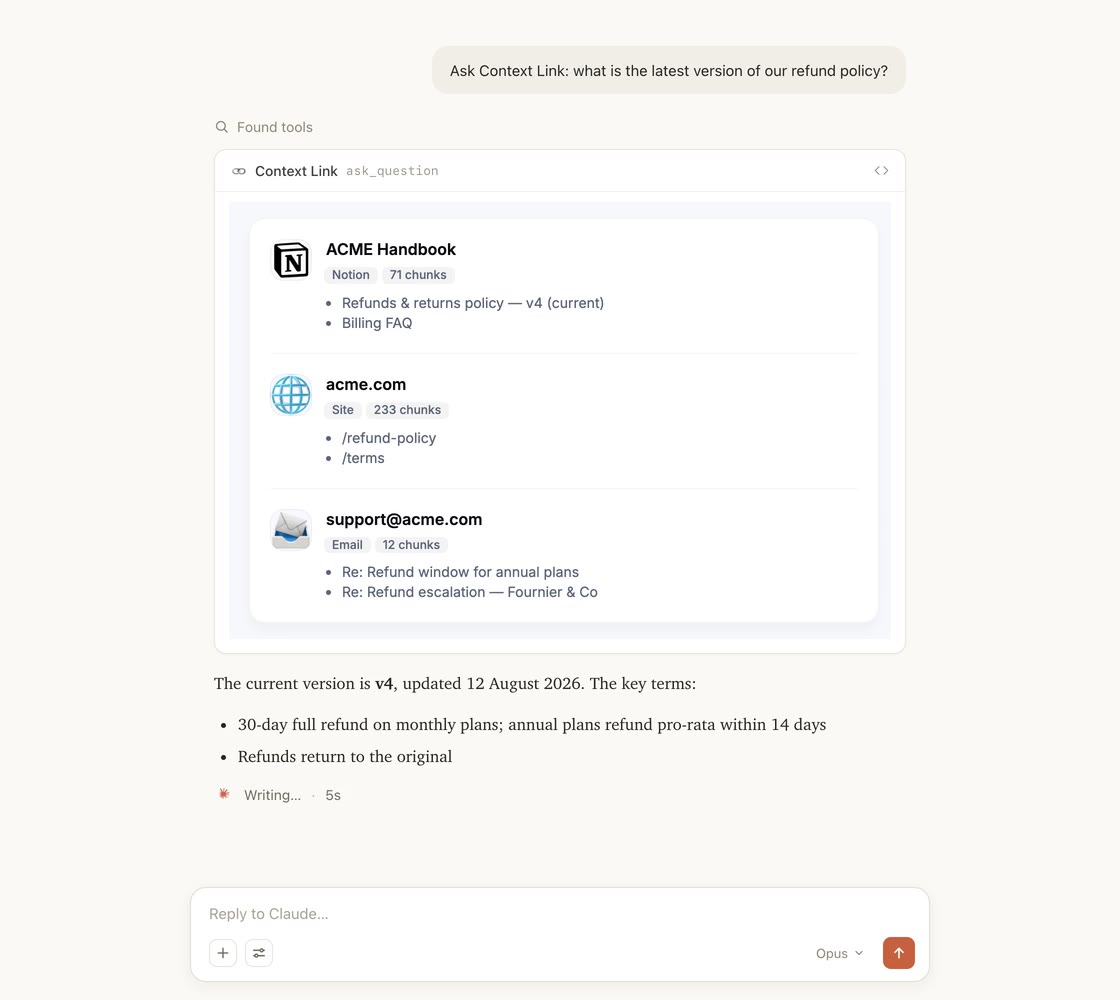
Integrates with the AI you already use
Available in every chat and project of the AI you already use. Complete with unified search across all your connections.
05 / Tools & skills
Skills your AI already knows how to call
Install once and your AI gets a vocabulary for your business: pull source-backed context, ask for a cited answer, or save a decision every other AI tool will read next time.
Tools & skills
Available in ChatGPT, Claude, Claude Code, and any MCP-aware agent.
Pulls source-backed context on a topic into the AI's working context.
When: “get context on…”
One concise answer with citations, grounded in your sources.
When: “ask my docs…”
Distills the conversation into a reference doc and saves it.
When: “save this as…”
Fetches a saved memory, merges in what's new, saves it back.
When: “update… with…”
The AI becomes the fetcher: pushes any service's data into your knowledge base.
When: building a custom source
06 / Industries
Context Link works with your kind of business.
Whatever you run, it probably lives in a variety of places. Connect them once, and Give AI a single way to talk to all of it.

Connect the support inbox, brand book, catalogue and help centre once, and AI gets a single place to ask your whole e-commerce business. From ChatGPT or Claude, ask what customers keep contacting support about, what you currently say about pricing, or how a product is described, and get source-backed answers instead of pasted-in context. When you settle something, like a returns policy or a brand rule, save it as a Memory so every AI tool reads the latest version.

Connect the docs you already keep, like specs, changelogs, interviews and support threads, and stop rebuilding that context in every AI tool. From inside ChatGPT or Claude, ask about your positioning, a past decision, or what users actually said in interviews, and get source-backed answers without knowing which doc holds them. Then save the canonical stuff, like your ICP or pricing rationale, as Memories that stay current as they change.
Connect your back-catalogue of briefs, case studies, brand books and project archives, and give AI one place to ask the whole studio. Ask anything and get source-backed answers grounded in your real history, so strategy stops half-remembering and starts citing, and every pitch stands on work you've actually done. Save the things you keep re-explaining, like your process or your point of view, as Memories any AI can pull into the next deck.

Your business lives in a variety of places, like docs, sites, inboxes and files. Connect them once and Context Link becomes the single place ChatGPT, Claude and agents can ask across all of it, returning source-backed answers without you guessing where the answer lives or pasting in background. Your business stops being something you re-explain to every AI tool, and becomes something they can simply talk to.
08 / Workflows
Workflow
See exactly what AI used and check the evidence
Every response is logged: which sources were pulled, what was returned, and when. That's the audit trail most traditional knowledge base tools don't give you, useful when you're deciding whether to trust an answer.
Workflow
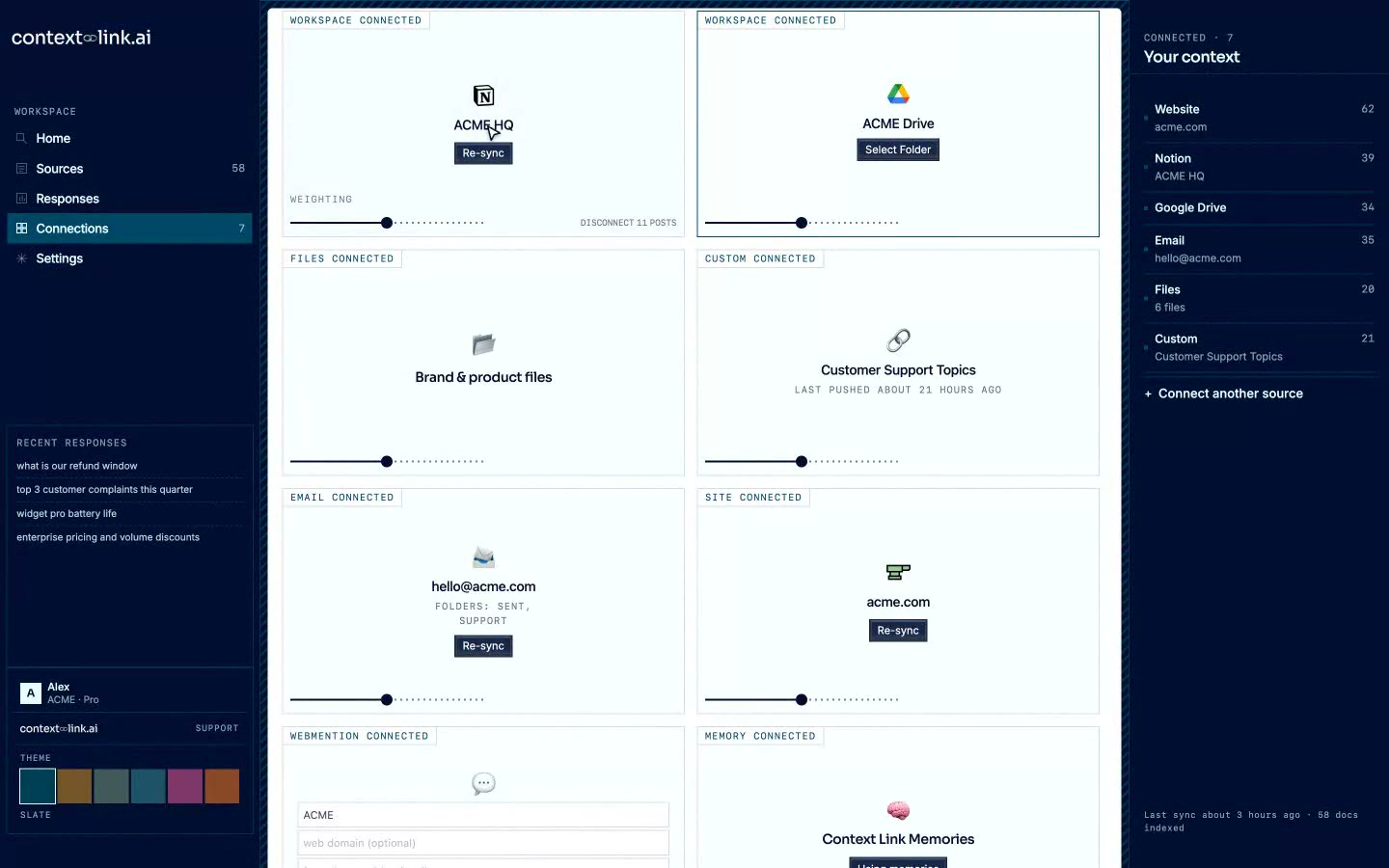
You control what's connected add or remove anytime
Choose exactly which Notion pages, Google Docs, folders, and site sections to include. Add, remove, or re-sync sources anytime. Your AI only sees what you've approved, nothing gets swept in by accident.
Scale as your team grows
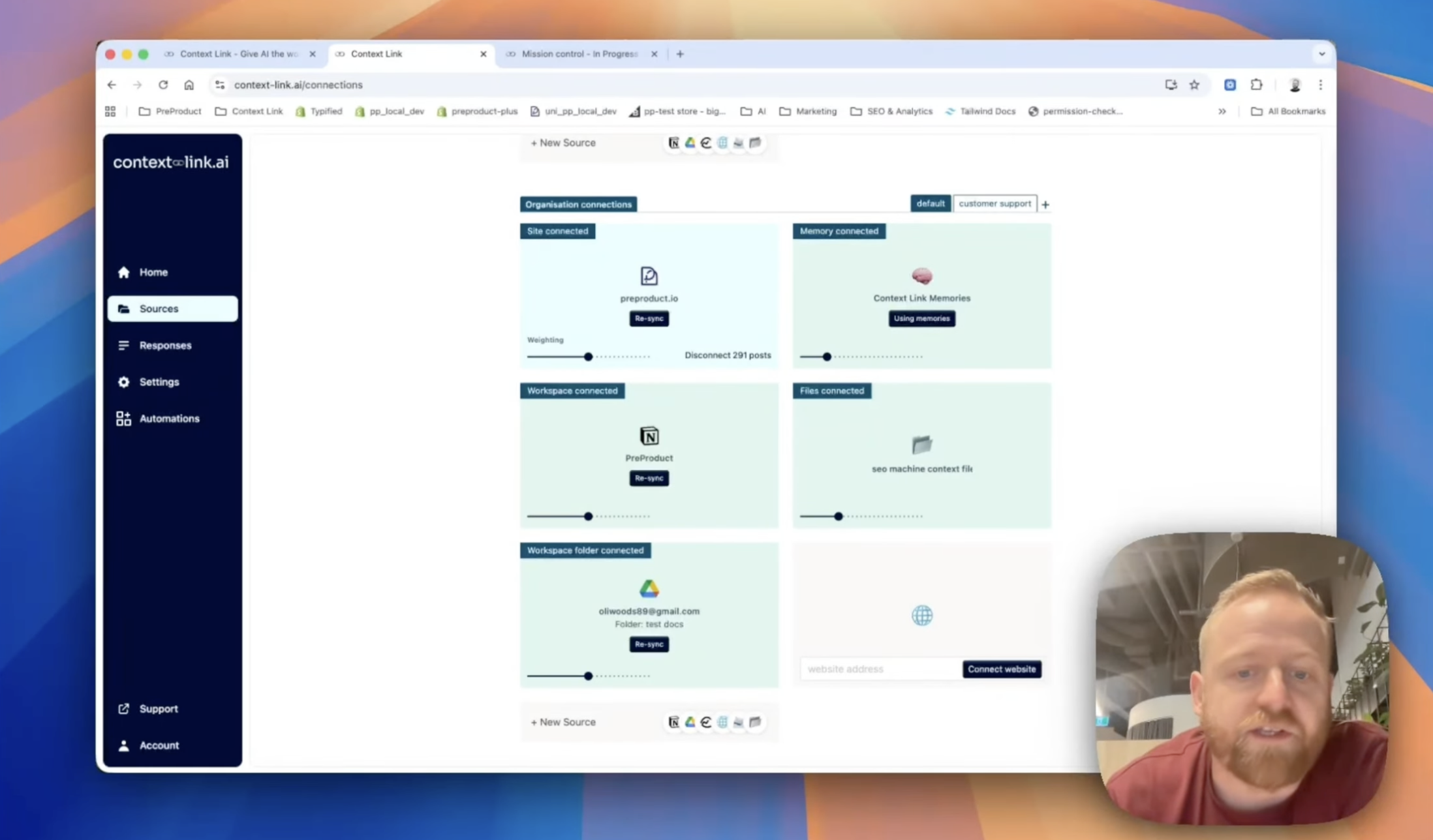
One knowledge base, weighted per team
Create named Modes like 'support' or 'sales' that re-weight which sources Context Link leans on for that use case. A support Mode upweights your help centre and FAQs; a sales Mode upweights case studies and product specs. Same knowledge base, different lens per team.
09 / Across your team
Share context across your team
Stop pasting the same docs into every chat. Connect your sources once, and every teammate's AI pulls the latest context from the same place, consistently, with citations, every time.
Your team's AIs

ChatGPT

Claude

agent 004
session
One connected knowledge base


 +
+
+
+
+
+
Ready when you are
Ready to try a connected internal knowledge base?
7-day free trial · start for free · cancel any time
FAQ
Frequently Asked Questions
What is internal knowledge base software?
Internal knowledge base software centralizes company knowledge, processes, policies, product docs, onboarding material, so employees can find answers without asking a colleague or hunting through scattered files. Traditional tools like Confluence, Notion used as a wiki, Guru, and Tettra ask you to write and organize that knowledge inside their platform. A connected, AI-native approach like Context Link instead indexes the docs, sites, and inboxes you already have, making them searchable by meaning and available to both employees and AI tools like ChatGPT and Claude.
Traditional knowledge base software vs. a connected, AI-native approach: what's the difference?
Tools like Confluence, Notion (used as a wiki), Guru, and Tettra are traditional knowledge base software: you write content into their format, organize it, and assign someone to keep it current. That works well when a team can dedicate real time to authoring and maintenance. A connected, AI-native approach flips the model: instead of rebuilding your knowledge in a new tool, it connects to where your knowledge already lives, your Notion pages, Google Docs, website, and inboxes, and keeps them searchable and current automatically. When you're evaluating internal knowledge base software, weigh four things: how well search understands meaning versus exact keywords, whether ChatGPT, Claude, or your other AI tools can actually query it, how much ongoing maintenance it demands, and what it costs to get running. Traditional tools often carry per-seat pricing with seat minimums, Guru's self-serve plan starts around $250 a month at a 10-seat floor, for example, while a connected approach can start with the sources you already have. For the fuller story on why most internal knowledge bases quietly turn into graveyards of stale docs, and what to do instead, see our guide to building an internal knowledge base that stays current.
What's the best internal knowledge base software for a small team?
For a small team without a dedicated knowledge manager, the deciding factor is usually maintenance, not features. Traditional knowledge base software, Guru, Tettra, a Confluence space, still needs someone to write, tag, and keep content current, work that's easy to skip when everyone's stretched thin. A connected approach avoids that by pulling from sources your team already keeps up to date: Notion, Google Docs, your website, email. There's no separate wiki to maintain. Context Link connects those sources in minutes and answers from inside ChatGPT and Claude, no new app for the team to learn.
Do I still need Confluence, Notion, or Guru if my content already lives there?
Not necessarily as a separate step. If your team already documents things in Notion, Google Docs, or your website, you don't need to migrate that content into a new tool. Context Link connects to those sources directly and makes them searchable by meaning, both from the Context Link dashboard and from inside ChatGPT, Claude, and any MCP-aware agent. If you already have content in Guru or a Confluence space you want to keep using, you're not locked out either: Confluence has no pre-built Context Link connector yet, but the custom-connections skill lets your AI fetch what it can read and push it in as markdown. If Claude can read it, you can push it to Context Link.
Is Context Link a good fit for large enterprise knowledge management?
Context Link is built for teams of roughly 3 to 200 who want AI grounded in their real business content without adopting an enterprise knowledge platform. If you need dedicated content-verification workflows, SME sign-off, and hundred-plus-seat rollouts, a platform built for that scale is the better fit. If you want internal knowledge base software that connects to what you already have and answers from inside the AI tools your team already uses, Context Link is worth evaluating first.