Works with ChatGPT, Claude, Gemini, and any MCP-aware agent
One MCP connector for your whole business
Stop adding one connector per app. Connect your sources once, add a single MCP connector to the AI you already use, and ask across all of it.
7-day free trial · start for free · cancel any time
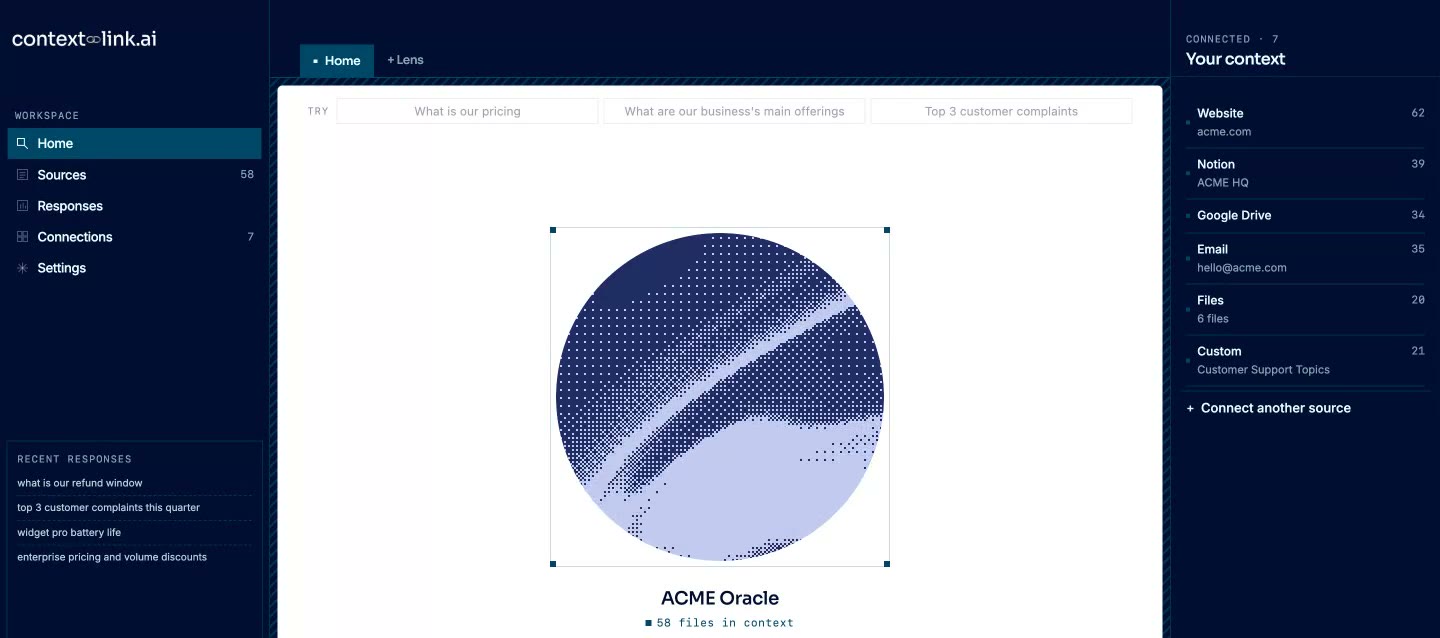
01 / Why Context Link

One connector
instead of ten
Per-app connectors each search only their own app, so you pick the tool before you ask. This one searches your docs, inboxes, sites and files together.

Paste a URL,
approve OAuth
Add the hosted server URL as a custom connector, sign in, and your agent has the tools. There is no server for you to build, host or keep patched.

Answers you
can check
Results point back to the source they came from. Ask AI to save settled decisions as Memories, and the next agent reads the latest version.
02 / Works with






 Basecamp


 Websites
 Files
Files
 Email
Email
 Memory
*Don't see a pre-built connection? Download the custom-connections skill and Claude builds it for you. If Claude can read it, you can push it to Context Link.
03 / What it does
Connect once, behind one connector
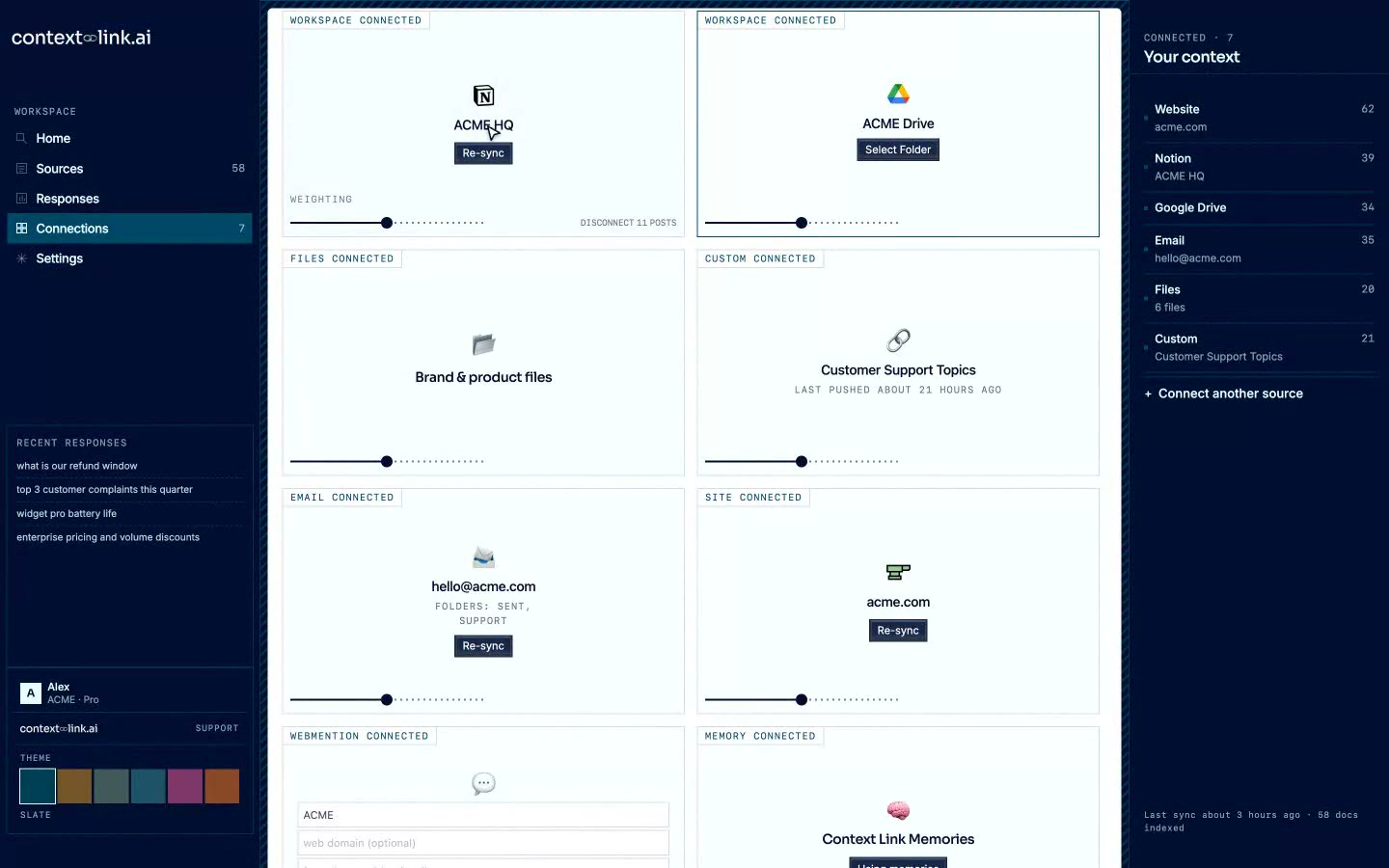
Link Notion, Google Docs, Drive, OneDrive, Basecamp, Monday, websites, email and files. Context Link cleans, indexes and re-syncs them, so the connector in your AI client always fronts the same connected knowledge base. If a tool has no pre-built connector, the custom-connections skill lets your AI push in what it can read.
Ask from the AI you already use
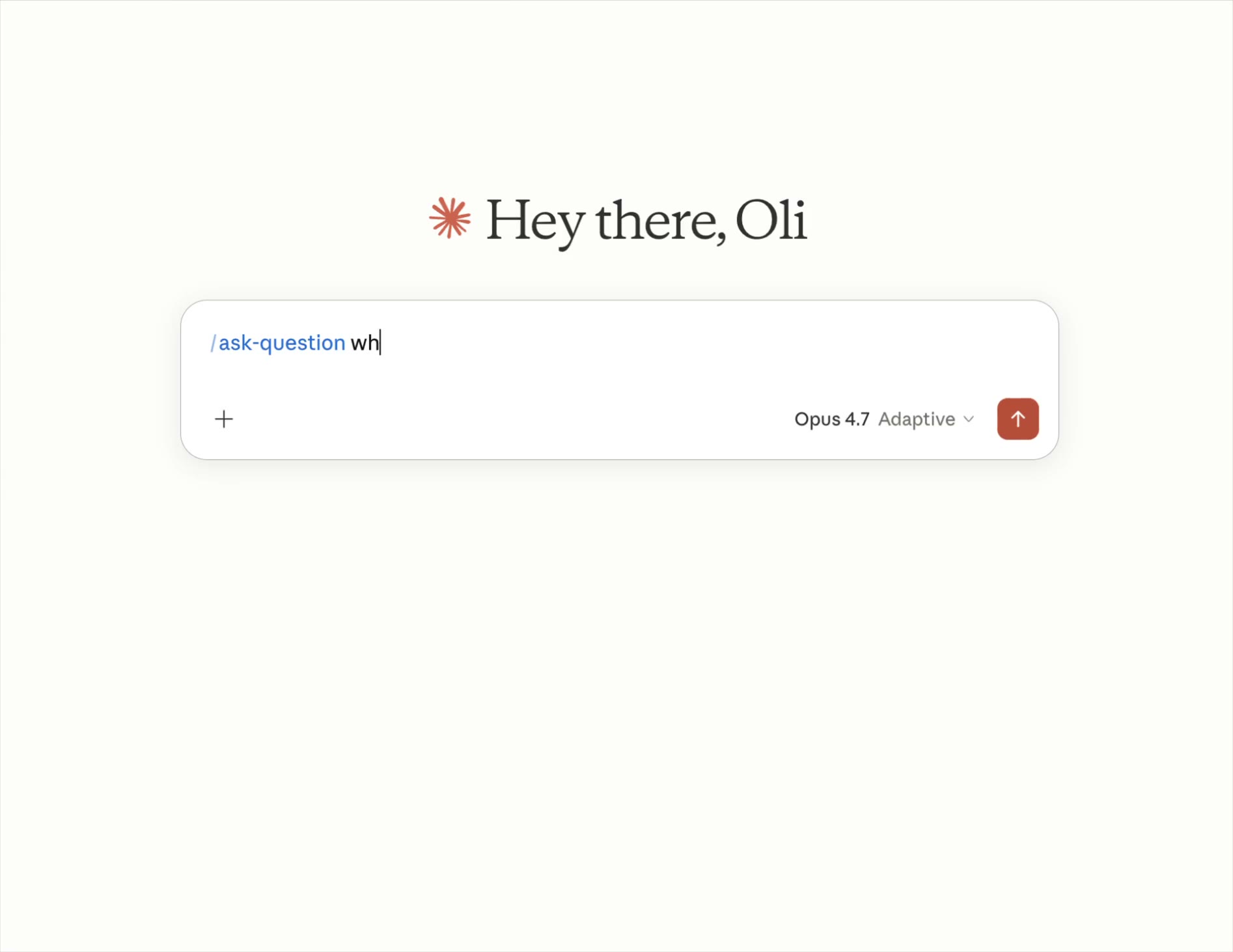
Say 'get context on our renewal terms' and the get_context tool returns the matching passages from every source at once. Use ask_question when you want one concise answer with numbered citations instead of raw passages.
Remember what your agents decide
Ask AI to save a decision to a /slash route such as `/pricing`. Memories are version-controlled, so every connected tool retrieves the latest version and the earlier ones stay in history.
Stay in control of what the connector can see
You choose which pages, folders, inboxes and sites get indexed. Personal connections stay private to you, organisation connections are shared, and you can remove a source whenever it should stop informing your agents.
04 / In action
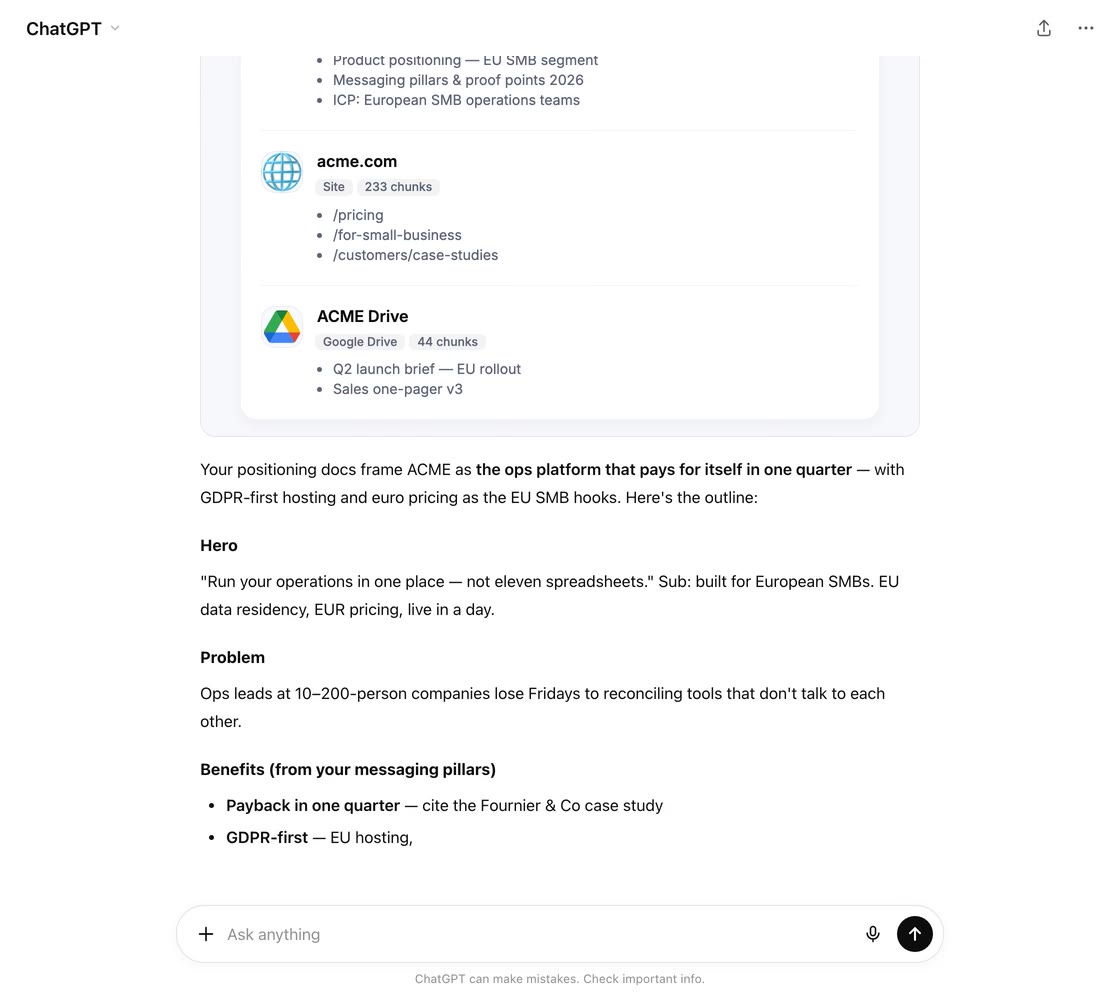
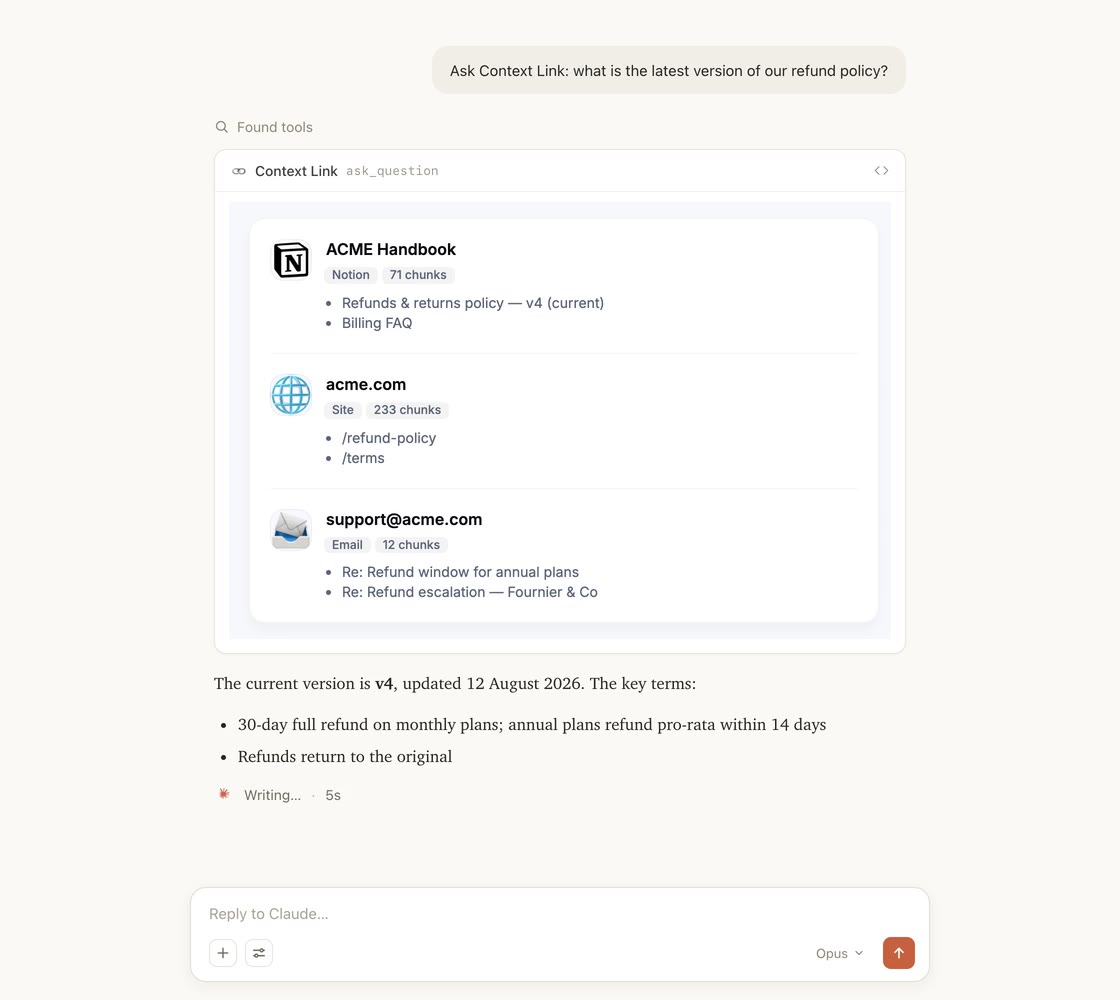
Integrates with the AI you already use
Available in every chat and project of the AI you already use. Complete with unified search across all your connections.
05 / Tools & skills
Skills your AI already knows how to call
Install once and your AI gets a vocabulary for your business: pull source-backed context, ask for a cited answer, or save a decision every other AI tool will read next time.
Tools & skills
Available in ChatGPT, Claude, Claude Code, and any MCP-aware agent.
Pulls source-backed context on a topic into the AI's working context.
When: “get context on…”
One concise answer with citations, grounded in your sources.
When: “ask my docs…”
Distills the conversation into a reference doc and saves it.
When: “save this as…”
Fetches a saved memory, merges in what's new, saves it back.
When: “update… with…”
The AI becomes the fetcher: pushes any service's data into your knowledge base.
When: building a custom source
06 / Industries
Context Link works with your kind of business.
Whatever you run, it probably lives in a variety of places. Connect them once, and Give AI a single way to talk to all of it.

Connect the support inbox, brand book, catalogue and help centre once, and AI gets a single place to ask your whole e-commerce business. From ChatGPT or Claude, ask what customers keep contacting support about, what you currently say about pricing, or how a product is described, and get source-backed answers instead of pasted-in context. When you settle something, like a returns policy or a brand rule, save it as a Memory so every AI tool reads the latest version.

Connect the docs you already keep, like specs, changelogs, interviews and support threads, and stop rebuilding that context in every AI tool. From inside ChatGPT or Claude, ask about your positioning, a past decision, or what users actually said in interviews, and get source-backed answers without knowing which doc holds them. Then save the canonical stuff, like your ICP or pricing rationale, as Memories that stay current as they change.
Connect your back-catalogue of briefs, case studies, brand books and project archives, and give AI one place to ask the whole studio. Ask anything and get source-backed answers grounded in your real history, so strategy stops half-remembering and starts citing, and every pitch stands on work you've actually done. Save the things you keep re-explaining, like your process or your point of view, as Memories any AI can pull into the next deck.

Your business lives in a variety of places, like docs, sites, inboxes and files. Connect them once and Context Link becomes the single place ChatGPT, Claude and agents can ask across all of it, returning source-backed answers without you guessing where the answer lives or pasting in background. Your business stops being something you re-explain to every AI tool, and becomes something they can simply talk to.
08 / Workflows
Workflow
Add the connector in a minute
In Claude, add Context Link as a custom connector with the hosted server URL. In ChatGPT, use the Context Link app. In Claude Code, Cursor, VS Code or Codex, point the client at the same MCP endpoint and approve OAuth.
Workflow
Connect the sources behind it once
Add each source from the connections screen. They re-sync on a schedule, so the connector you already added keeps returning current material without you touching it again.
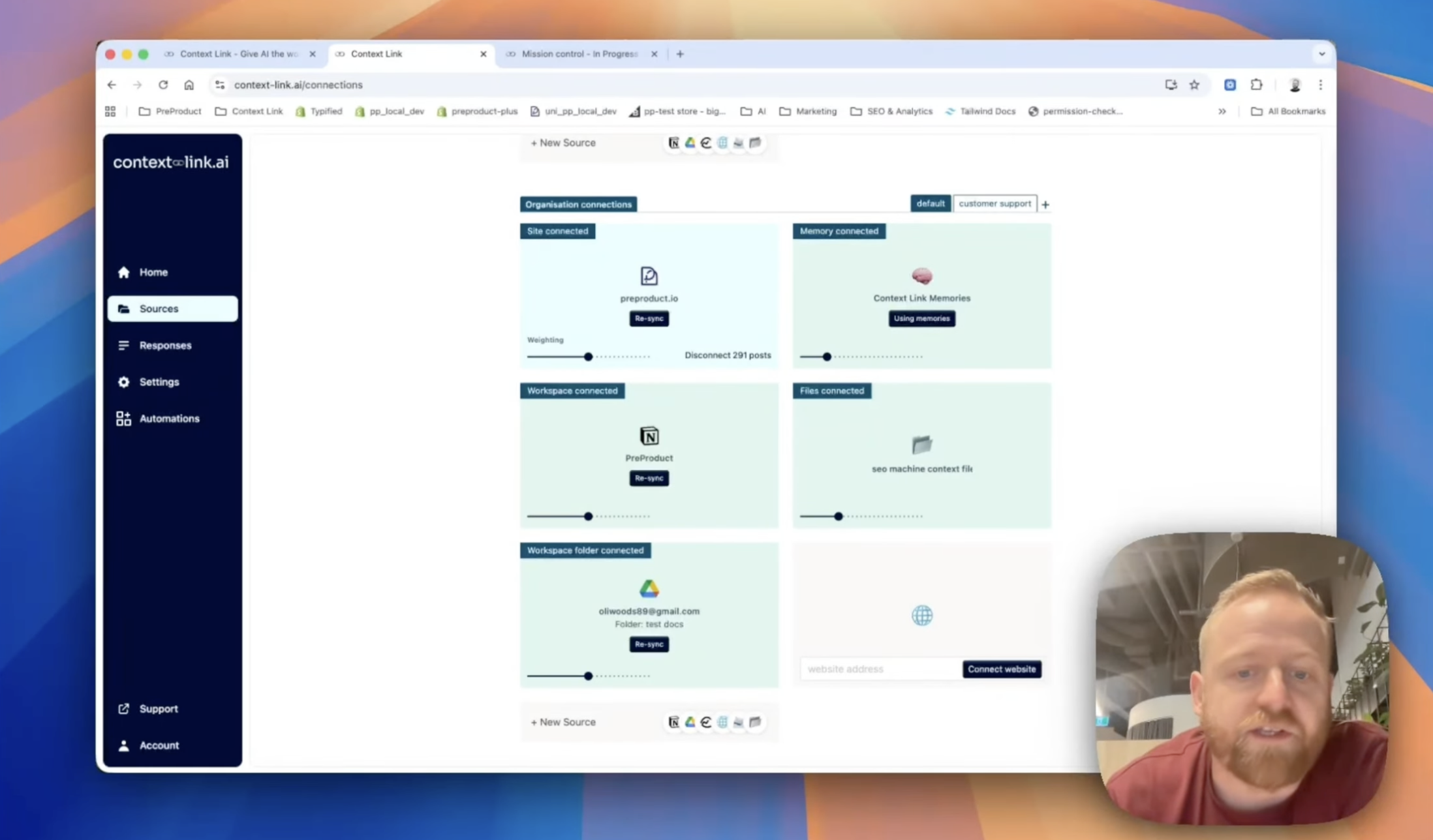
Use it across your org
Different modes for different roles
Modes weight the same connected knowledge differently for sales, support or leadership, so each agent gets the context that fits its job.
09 / Across your team
Share context across your team
Stop pasting the same docs into every chat. Connect your sources once, and every teammate's AI pulls the latest context from the same place, consistently, with citations, every time.
Your team's AIs

ChatGPT

Claude

agent 004
session
One connected knowledge base


 +
+
+
+
+
+
Ready when you are
Ready to add one connector that reaches everything?
7-day free trial · start for free · cancel any time
FAQ
Frequently Asked Questions
What is an MCP connector?
An MCP connector is a remote Model Context Protocol server that an AI app such as Claude has been pointed at, so the AI can call its tools. A pre-built connector usually exposes one app. Context Link is a connector that fronts everything you have connected to it: docs, inboxes, sites, project tools and files.
How do I add Context Link as an MCP connector?
Add the hosted server URL, https://www.context-link.ai/mcp, as a custom connector in Claude, or use the Context Link app in ChatGPT. MCP clients such as Claude Code, Cursor, VS Code and Codex can use the same endpoint. You sign in through OAuth; there is nothing to install or host.
Why use one connector instead of one per app?
Each per-app connector searches only its own app, so you have to know whether an answer is in email, Drive or Notion before you ask. With one connector over all of them, you ask the question and the search covers every connected source. See the same trade-off for Claude specifically.
What tools does the connector give my agent?
Four: get_context searches across your connected sources, ask_question returns a concise answer with citations, save_memory writes canonical knowledge to a /slash route, and get_memory retrieves it later. ask_question needs a Pro plan; the other three work on any active plan.
Is this the same as a RAG MCP server or a business context MCP?
It is the same hosted server, described from the client side: this page is about adding it as a connector. For what happens behind it, see the RAG MCP server page and business context MCP. For the standards question, see RAG vs MCP.
Which AI tools can use it?
Claude through a custom connector, ChatGPT through the Context Link app, and MCP clients including Claude Code, Cursor, VS Code and Codex. For ChatGPT setup, see the ChatGPT custom connector guide.
Does Context Link train AI models on my data?
No. You choose what gets indexed, credentials are encrypted at rest, and you can disconnect a source at any time.