Works with ChatGPT, Claude, Gemini, and any MCP-aware agent
Not marketing automation AI that knows your brand
You searched marketing automation ai. Context Link doesn't run campaigns, it gives AI your brand voice, past campaigns, and customer feedback, so answers stay grounded.
7-day free trial · start for free · cancel any time
01 / Why Context Link

Brand voice,
on tap
Connect your style guide and brand docs once. Save the settled version as a Memory, and every AI drafting marketing copy starts on-voice instead of generic.

Every past campaign,
one place
Connect Notion briefs, Google Docs, and Basecamp threads so AI stops repeating old messaging or contradicting a positioning call you already made.

Customer feedback,
not guesswork
Connect the support inbox and review threads so marketing questions get answered from what customers actually said, not a hunch.
02 / Works with







 Basecamp


 Custom
 Websites
 Files
Files
 Email
Email
 Memory
*Don't see a pre-built connection? Download the custom-connections skill and Claude builds it for you. If Claude can read it, you can push it to Context Link.
03 / What it does
Connect your marketing context
Bring in the Notion briefs, Google Docs brand guide, Basecamp campaign threads, and support inbox your marketing already runs on. No pre-built connector for a tool you use? The custom-connections skill lets your AI push its content in, so nothing gets left out.
Ask before you draft anything
From inside Claude or ChatGPT, say 'get context on our Q3 messaging' before writing a single line. Context Link searches everything connected and returns the exact snippets, so the draft starts from what the business actually says.
Remember the brand voice, once
Ask AI to save the settled tone, positioning, and messaging rules to a Memory like `/brand-voice`. Update it when the line changes, and every future draft reads the current version, not last quarter's.
Not workflow automation, on purpose
Context Link doesn't send email, trigger drip sequences, or run your campaigns. It's the context layer underneath whatever does: your marketing automation platform, ChatGPT, or Claude, so their output is grounded instead of generic.
04 / In action
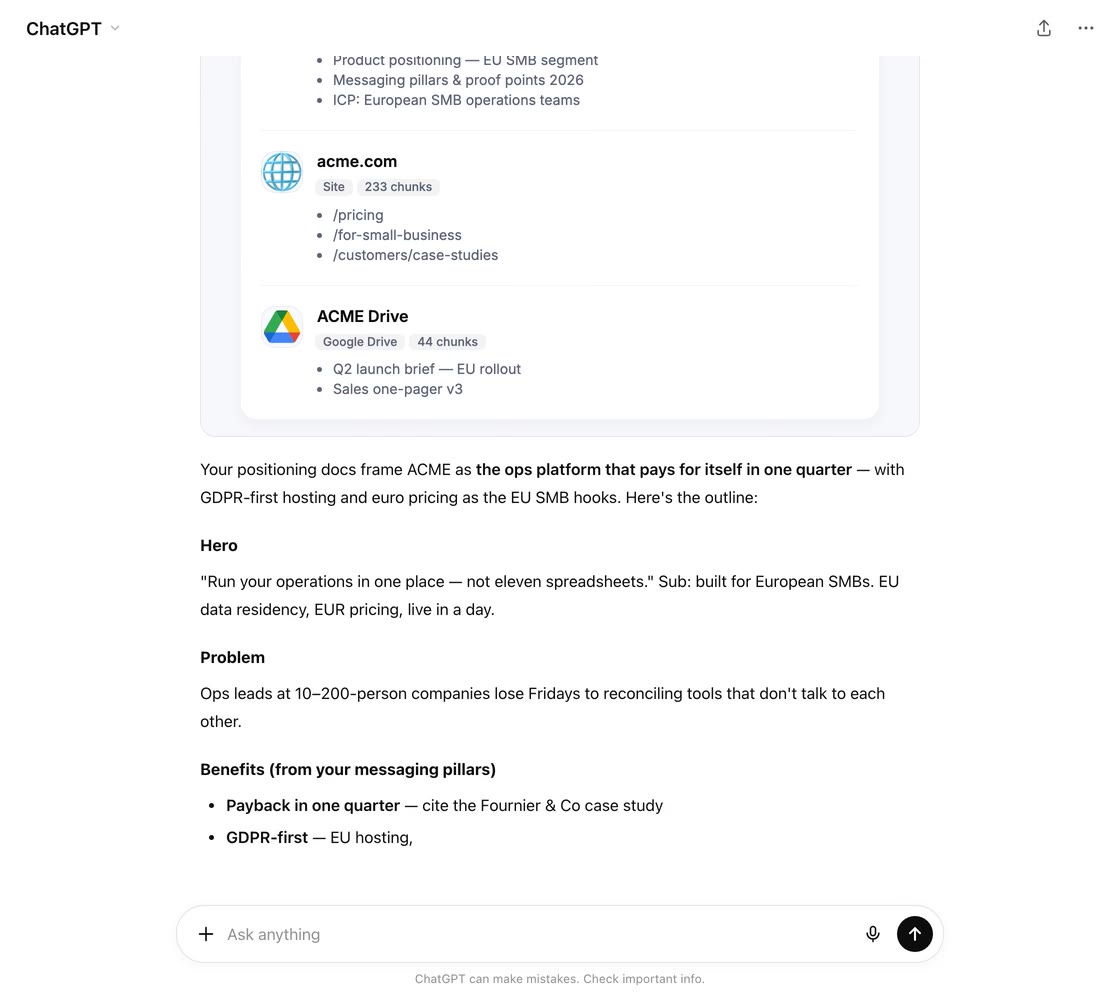
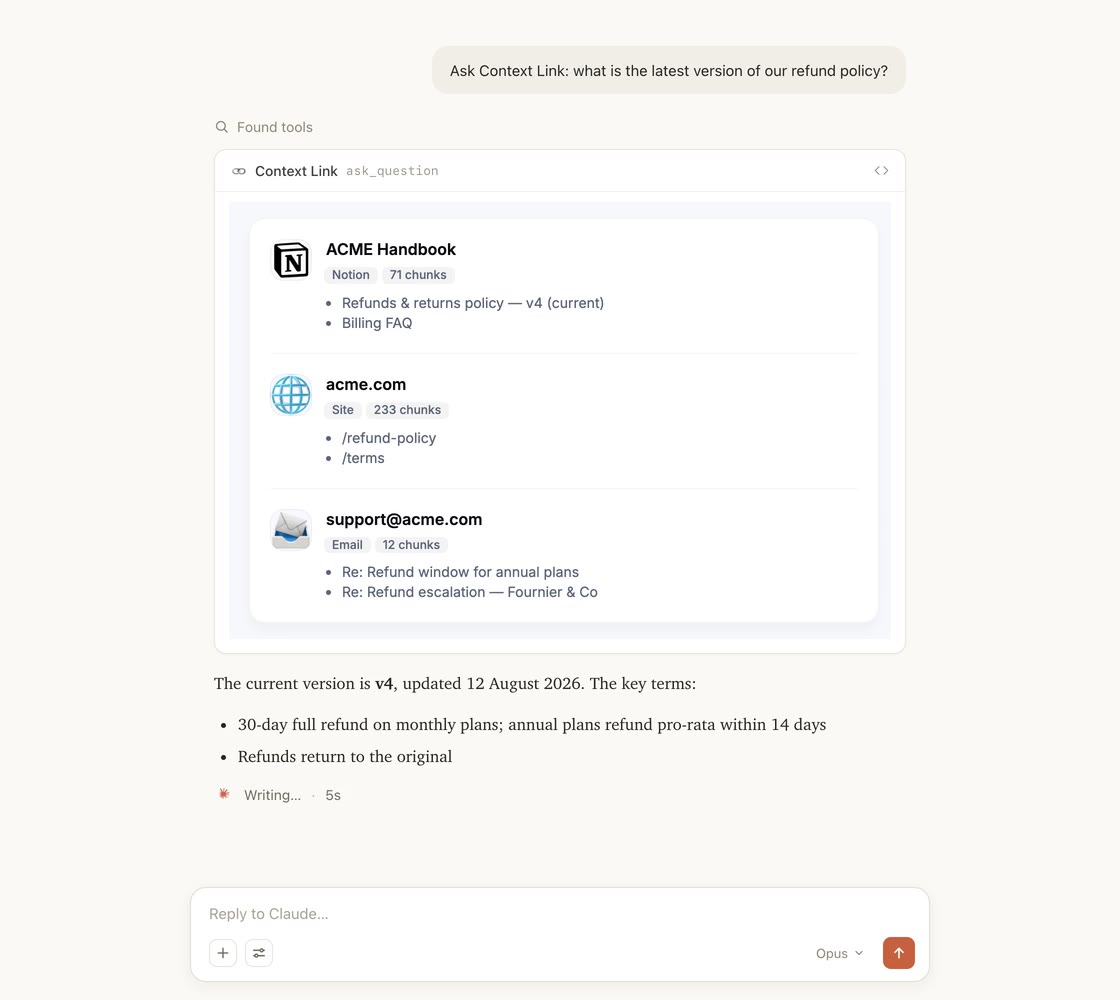
Integrates with the AI you already use
Available in every chat and project of the AI you already use. Complete with unified search across all your connections.
05 / Tools & skills
Skills your AI already knows how to call
Install once and your AI gets a vocabulary for your business: pull source-backed context, ask for a cited answer, or save a decision every other AI tool will read next time.
Tools & skills
Available in ChatGPT, Claude, Claude Code, and any MCP-aware agent.
Pulls source-backed context on a topic into the AI's working context.
When: “get context on…”
One concise answer with citations, grounded in your sources.
When: “ask my docs…”
Distills the conversation into a reference doc and saves it.
When: “save this as…”
Fetches a saved memory, merges in what's new, saves it back.
When: “update… with…”
The AI becomes the fetcher: pushes any service's data into your knowledge base.
When: building a custom source
06 / Industries
Context Link works with your kind of business.
Whatever you run, it probably lives in a variety of places. Connect them once, and Give AI a single way to talk to all of it.

Connect the support inbox, brand book, catalogue and help centre once, and AI gets a single place to ask your whole e-commerce business. From ChatGPT or Claude, ask what customers keep contacting support about, what you currently say about pricing, or how a product is described, and get source-backed answers instead of pasted-in context. When you settle something, like a returns policy or a brand rule, save it as a Memory so every AI tool reads the latest version.

Connect the docs you already keep, like specs, changelogs, interviews and support threads, and stop rebuilding that context in every AI tool. From inside ChatGPT or Claude, ask about your positioning, a past decision, or what users actually said in interviews, and get source-backed answers without knowing which doc holds them. Then save the canonical stuff, like your ICP or pricing rationale, as Memories that stay current as they change.
Connect your back-catalogue of briefs, case studies, brand books and project archives, and give AI one place to ask the whole studio. Ask anything and get source-backed answers grounded in your real history, so strategy stops half-remembering and starts citing, and every pitch stands on work you've actually done. Save the things you keep re-explaining, like your process or your point of view, as Memories any AI can pull into the next deck.

Your business lives in a variety of places, like docs, sites, inboxes and files. Connect them once and Context Link becomes the single place ChatGPT, Claude and agents can ask across all of it, returning source-backed answers without you guessing where the answer lives or pasting in background. Your business stops being something you re-explain to every AI tool, and becomes something they can simply talk to.
08 / Workflows
Workflow
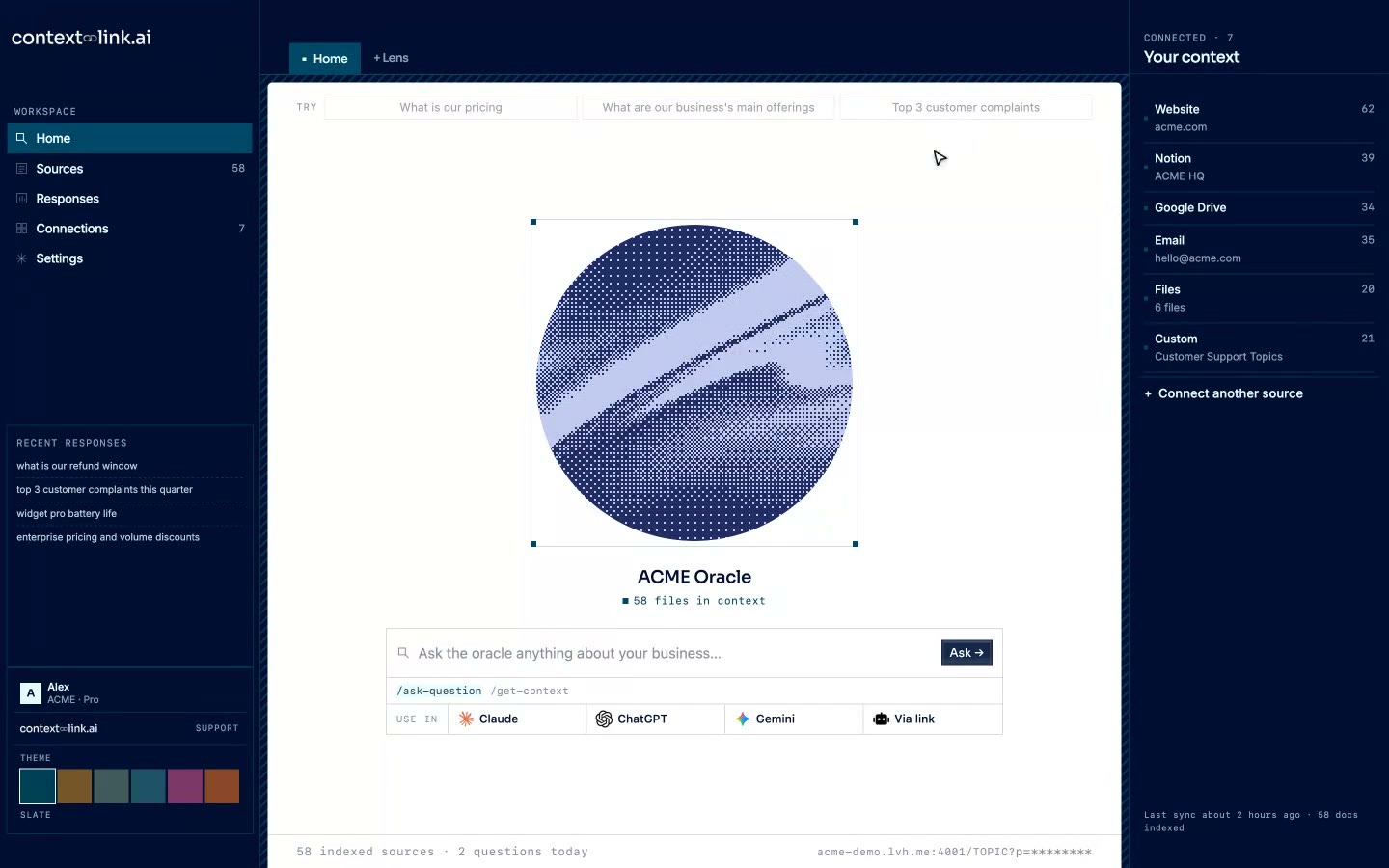
Ask before you write anything
Type 'get context on our positioning against [competitor]' in Claude or ChatGPT. Context Link runs semantic search across your connected sources and returns the relevant snippets, cited, before the first draft goes out.
Workflow
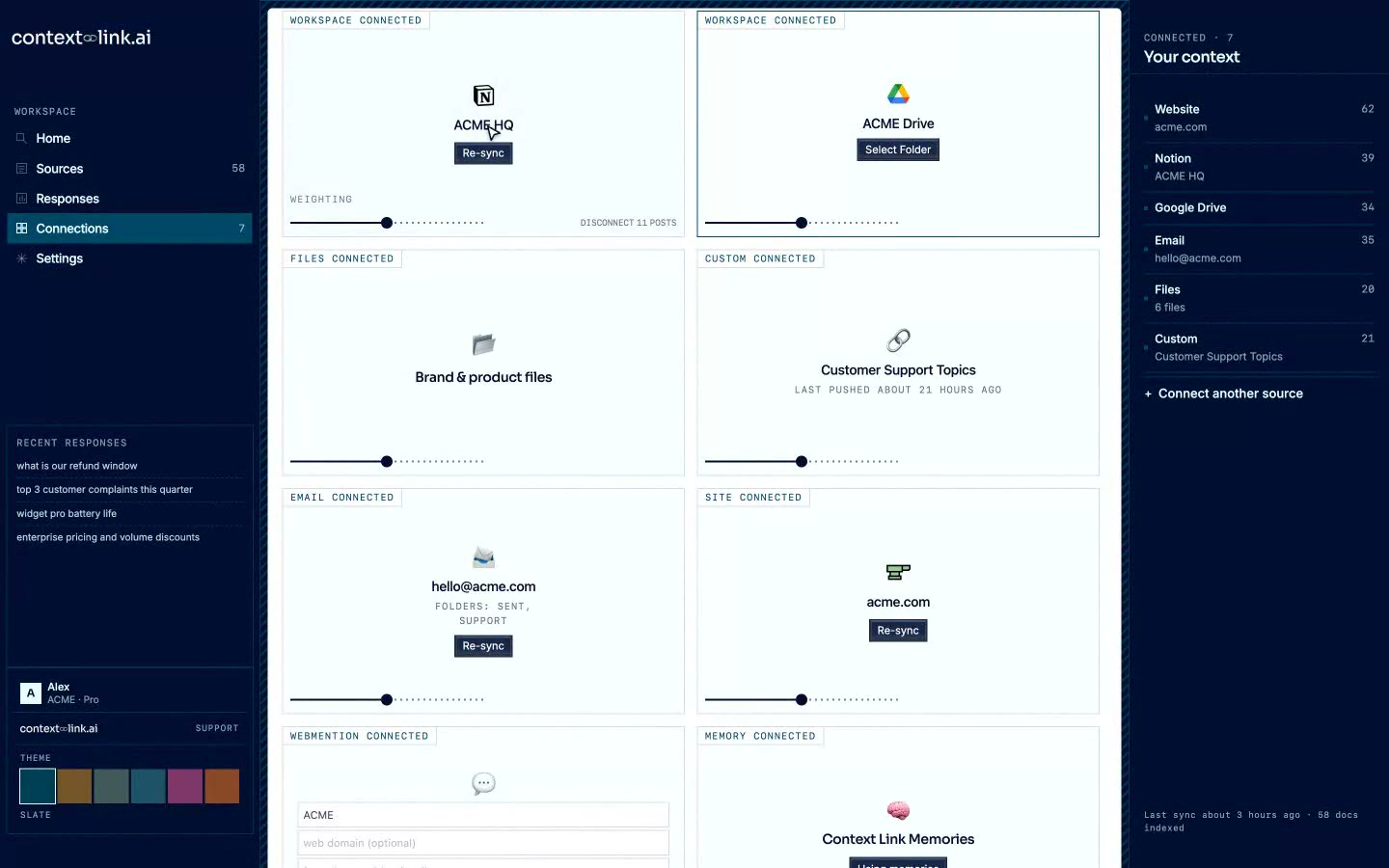
Control what marketing AI can see
Choose exactly which Notion pages, Google Docs, and Basecamp projects feed marketing context. Add or remove sources anytime. Your AI only knows what you've approved, nothing more.
Scale with your team
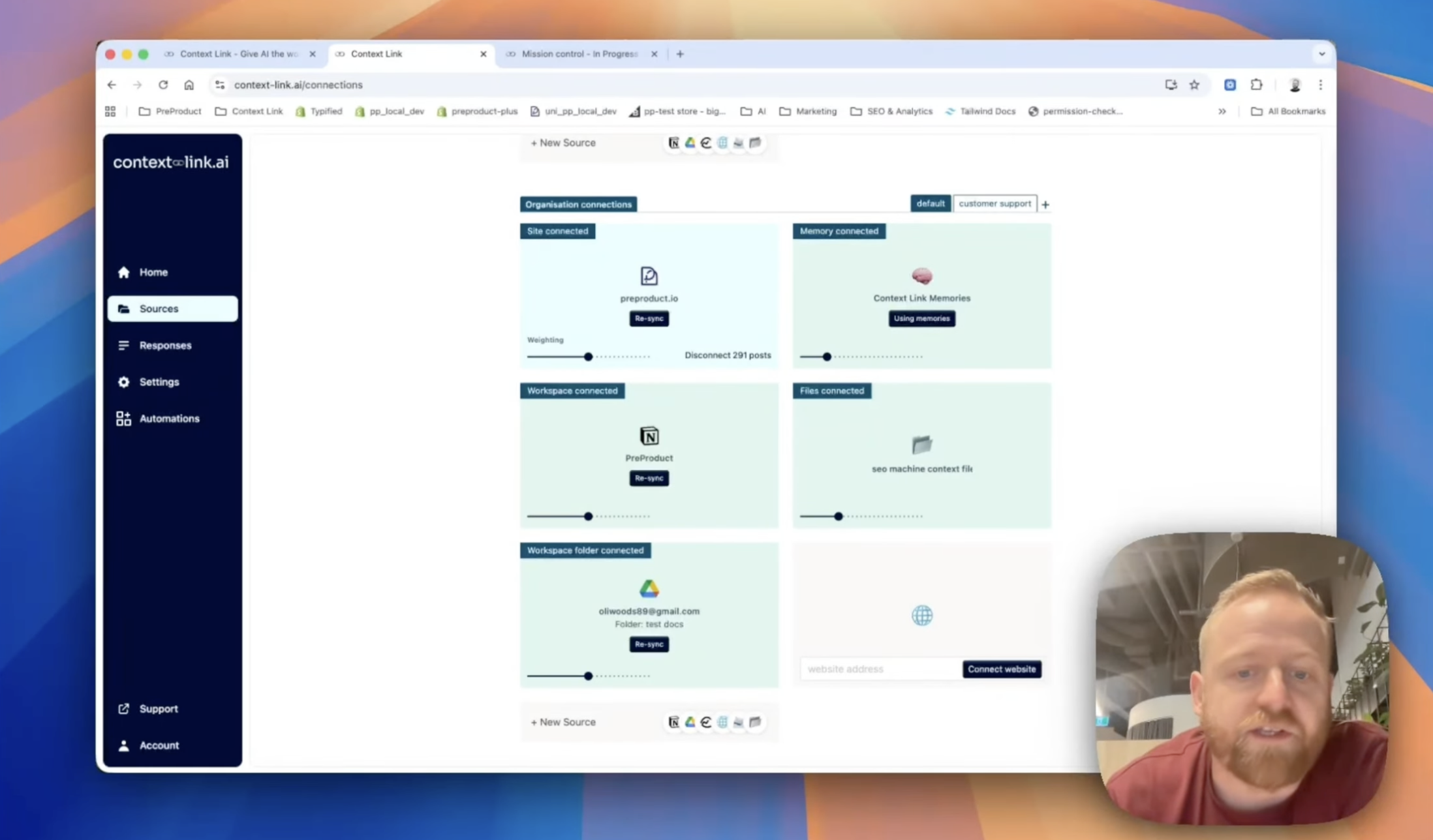
One brand voice, every teammate's AI
Connect sources at the organisation level so the whole team's AI reads the same brand voice and campaign history. Use Modes to weight your blog and Notion higher for marketing, then support docs higher for a customer-facing use case, from the same connected sources.
09 / Across your team
Share context across your team
Stop pasting the same docs into every chat. Connect your sources once, and every teammate's AI pulls the latest context from the same place, consistently, with citations, every time.
Your team's AIs

ChatGPT

Claude

agent 004
session
One connected knowledge base


 +
+
+
+
+
+
Ready when you are
Ready for marketing AI that knows your business?
7-day free trial · start for free · cancel any time
FAQ
Frequently Asked Questions
Does Context Link automate my marketing workflows?
No, and that's deliberate. Context Link doesn't send email, run drip sequences, or trigger campaigns, that's what your marketing automation platform is for. What it does is give whatever AI or platform you already use the grounded business context to work from: brand voice, past campaigns, positioning, and customer feedback, pulled from wherever it already lives.
How is this different from the AI features in tools like ActiveCampaign or Ortto?
Those platforms bolt AI onto their own workflow engine, so the AI only ever sees what's inside that one platform. Context Link is the layer underneath: connect your Notion, Google Docs, Basecamp, and inbox once, and any AI you use (including the assistant inside your marketing automation tool, if it can read a URL) gets the same grounded context instead of starting from nothing. For a more concrete, day-to-day walkthrough of what a marketing setup looks like, see our AI marketing assistant page.
What sources can I connect for marketing context?
Notion for campaign briefs and planning docs, Google Docs and Drive for the brand guide and style docs, Basecamp for campaign discussions, websites for what's already published, and email for customer feedback threads. If a tool isn't in that list, the custom-connections skill lets your AI fetch its content and push it in directly. If Claude can read it, you can push it to Context Link. See our AI knowledge base guide for how the underlying semantic search works.
Can Context Link write in our brand voice?
Context Link doesn't write copy itself. It retrieves the brand voice, style guide, and past campaigns your AI needs to write on-voice. Save the settled version once as a /brand-voice Memory, and every AI tool you connect reads the current version before drafting, instead of you re-explaining tone in every prompt.
Which AI tools does this work with?
Claude, ChatGPT, Google Gemini, Microsoft Copilot, and any MCP-aware agent. Context Link runs from inside the AI you already use rather than asking you to adopt a new chat app, so your existing marketing workflow doesn't have to change to get grounded answers. The same connected context also powers a personalized AI assistant for the rest of the business, and rolls up into AI knowledge management once more than one team is asking it questions.