Sign up to Context Link normally and pick the **RAG White-Label** plan. The last onboarding step walks you through getting the token, provisioning your first customer, and querying on a customer's behalf, and links straight to the docs and the fleet screen. You can revisit all of it here.
Then open **Settings** and scroll to **Partner provisioning token**.
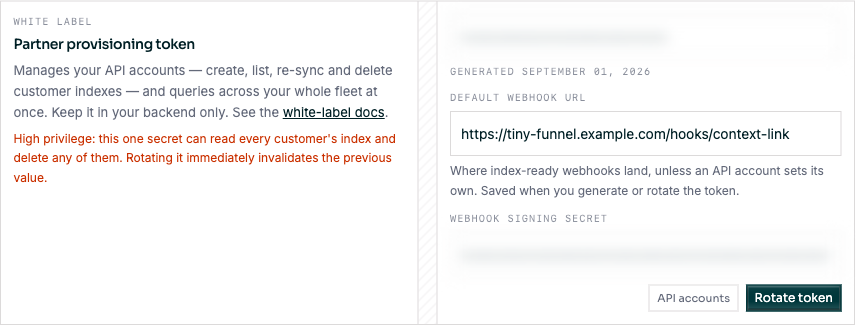
**Generate token** does three things at once:
1. mints your **provisioning token** (copy it now, it is only readable here);
2. saves the **default webhook URL** typed alongside it;
3. generates your **webhook signing secret**, shown underneath.
Both secrets are masked in the field and revealed on focus. The token is server-generated (there is no value to hand-type), and rotating it invalidates the previous one **immediately**, so update your backend in the same deploy.
Setting a default webhook URL and rotating the provisioning token. The token and signing secret are blurred here; in the app they are masked until you focus the field.
The webhook URL must be a publicly routable http(s) URL; see [SSRF constraints on the webhook URL](/docs/white-label/webhooks). Setting a private or credential-bearing URL is rejected here rather than accepted and quietly dropped.